HALT: Market Halts Command
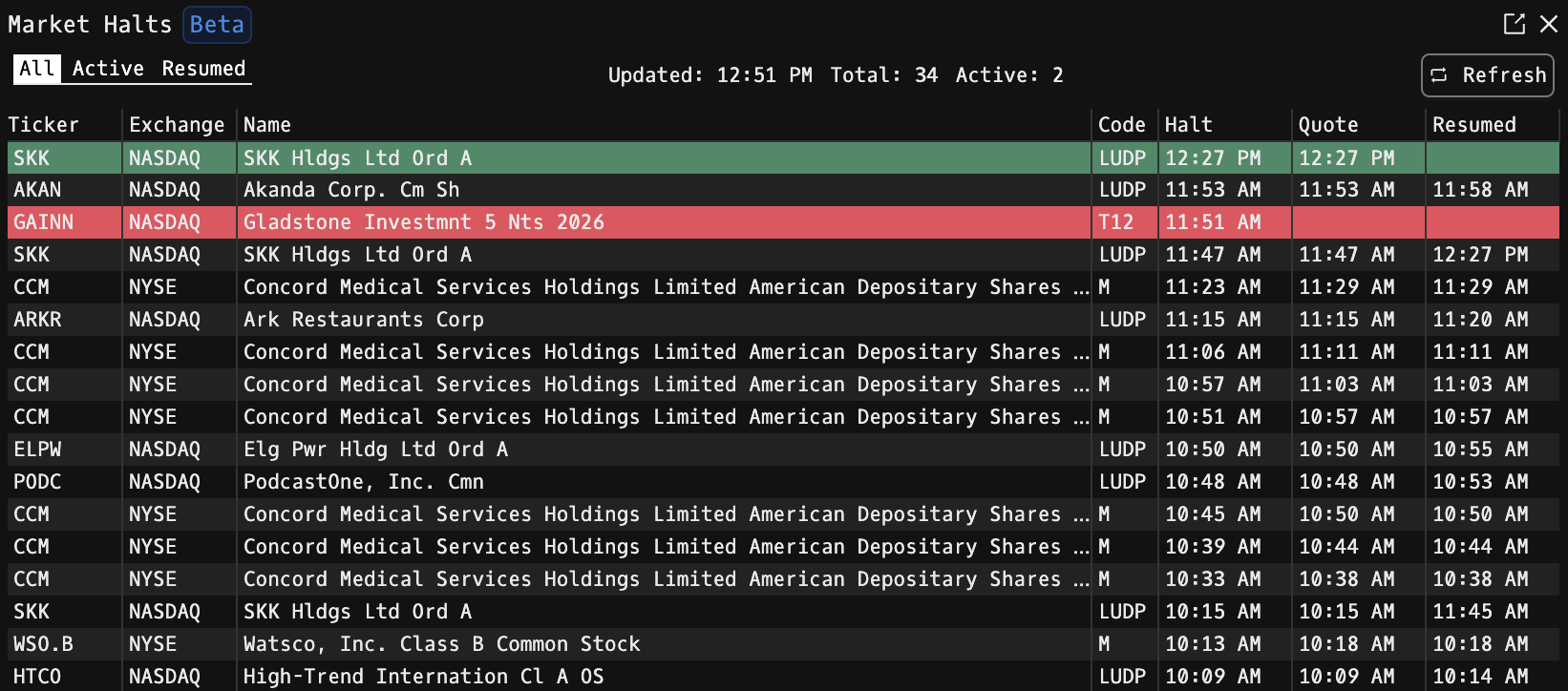
HALT is the Godel Terminal command for viewing today's U.S. market trading halts from the official Nasdaq trader feed, including reason codes and resumption times.
How to use HALT
Command:
HALT

Tabs
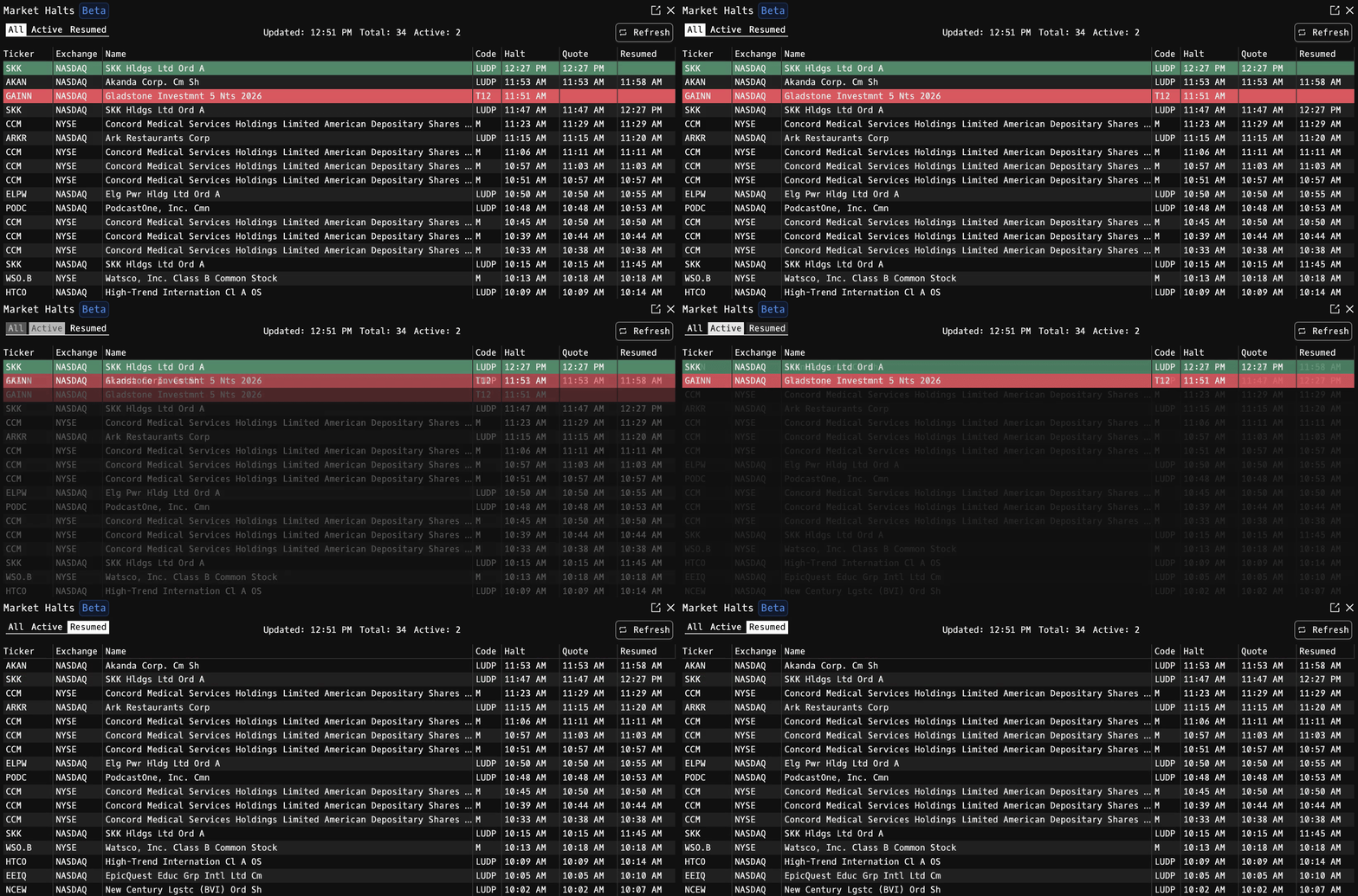
Three filter tabs across the top of the window:
- All: every halt that occurred today.
- Active: halts that have not yet resumed trading.
- Resumed: halts where trading has already resumed.
Also shown in the toolbar: last-updated timestamp, total halts today, and the count of still-active halts. Click Refresh (retweet icon) to manually pull the latest feed.
Display Columns
| Column | Description |
|---|---|
| Ticker | Halted symbol |
| Exchange | Listing market that halted the security |
| Name | Full company / issue name |
| Code | Nasdaq halt reason code: hover for the plain-English description |
| Halt | Time trading was halted |
| Quote | Time quoting resumed (if applicable) |
| Resumed | Time trading fully resumed (if applicable) |
Row Color
Rows are color-coded by current status:
- Red: actively halted, no resumption yet
- Primary theme color: quoting has resumed but trading has not
- Uncolored: trading has fully resumed
Reason Codes
Common Nasdaq halt reason codes include:
| Code | Meaning |
|---|---|
| LUDP / M | Volatility Trading Pause |
| T1 | Pending News |
| T3 | Pending News |
| T12 | Additional Information Requested |
| H10 | SEC Trading Suspension |
| D | News Dissemination |
Unknown codes are displayed as-is.
Row Click
Click any halt row to open the security in its default click-through command (configurable in PDF). Godel looks up the ticker on the U.S. market; if it can't be matched, a toast message is shown.
Notes
- HALT is in beta.
- HALT is limited to a single open window.
- The feed covers U.S. markets only; international halts are not included.
FAQ
What does HALT do?
HALT is the Godel Terminal market halts command.
How do I open HALT in Godel Terminal?
Type HALT in the terminal.
Is HALT available on all plans?
Yes, HALT is available on every Godel plan.