DVD: Dividend Yield Command
DVD is the Godel Terminal command for viewing dividend history and yield metrics for a security: trailing yield, forward yield, ex-dividend and payment dates.
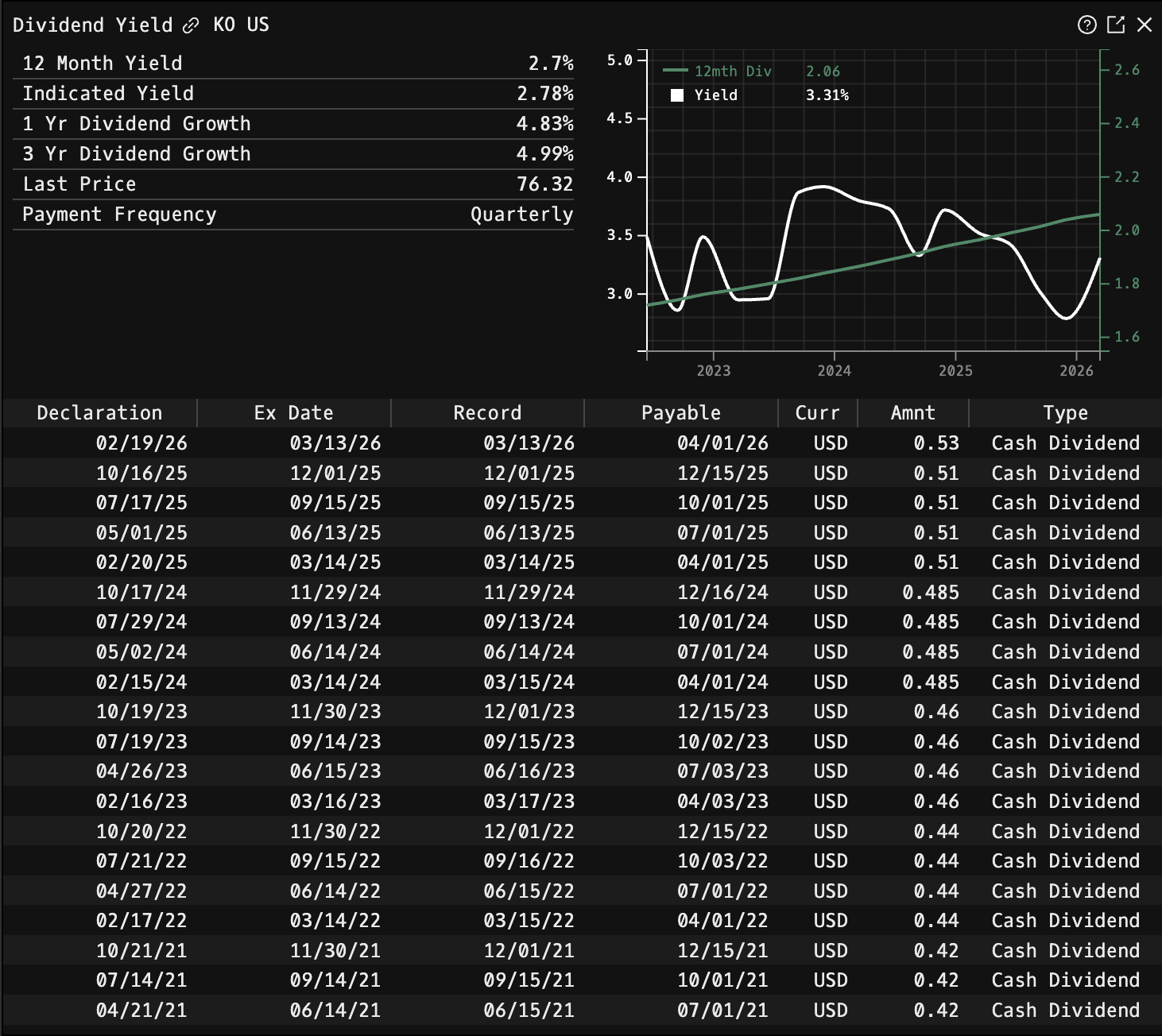
How to use DVD
Security Identifier/Ticker Country/Instrument Asset Class DVD
Example: KO US EQ DVD - displays dividend history for Coca-Cola

Display Components
Dividend Metrics (Top Left)
- 12 Month Yield: Current trailing dividend yield
- Indicated Yield: Forward dividend yield based on current payment rate
- 1 Yr Dividend Growth: Year-over-year dividend growth rate
- 3 Yr Dividend Growth: 3-year annualized dividend growth rate
- Last Price: Current stock price
- Payment Frequency: Dividend payment schedule (Quarterly, Monthly, etc.)
Yield Chart
Interactive chart displaying dividend yield trend over time. Hover over any point to see:
- Date: Specific point in time (e.g., "Mar 2024")
- Yield: Dividend yield percentage at that date
- Dividend amount: Payment per share (e.g., "DIV: 1.06")
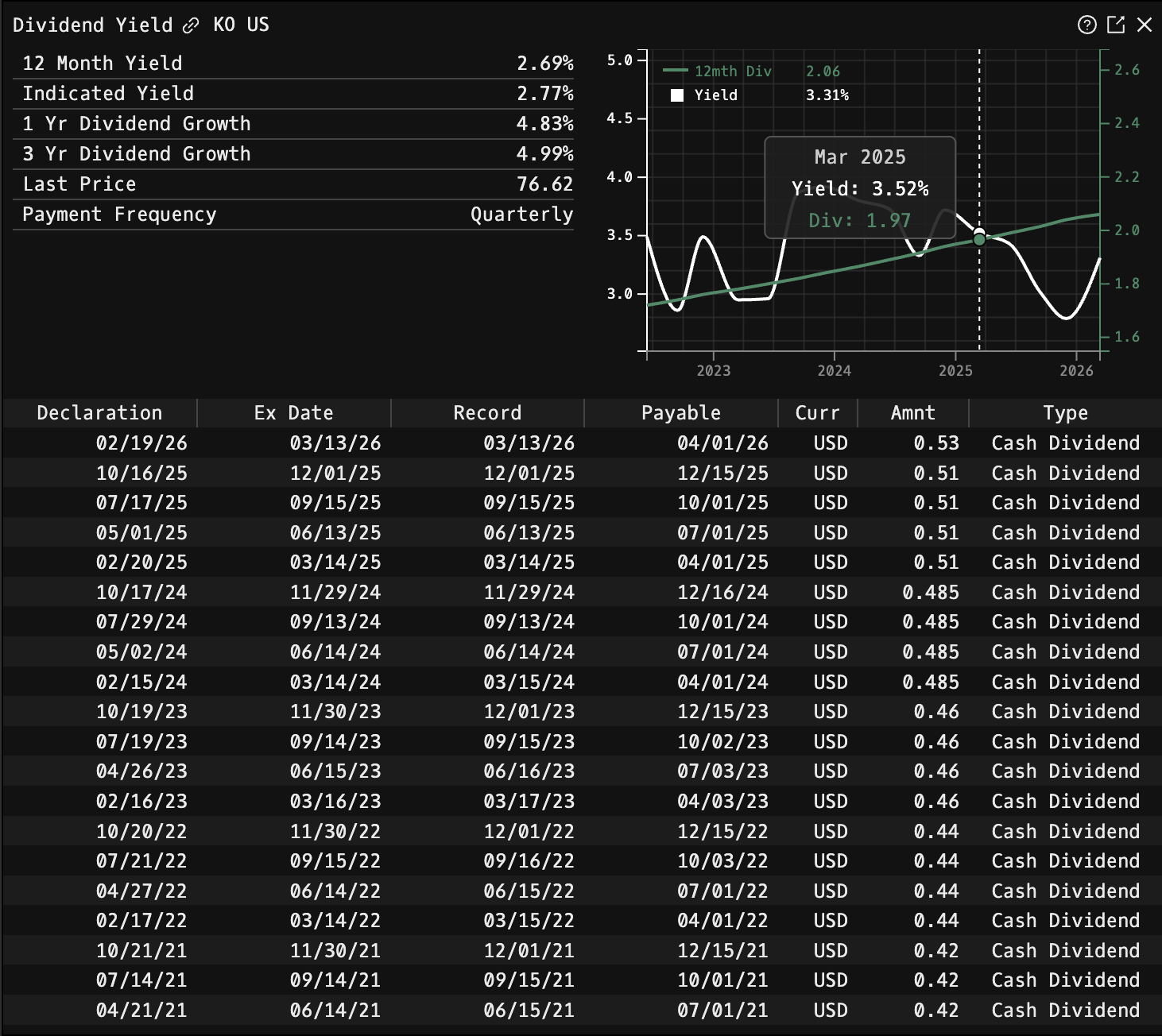
Dividend History Table
| Column | Description |
|---|---|
| Declaration | Date dividend was announced |
| Ex Date | Date stock begins trading without dividend rights |
| Record | Date to be shareholder of record for payment |
| Payable | Date dividend is paid |
| Curr | Currency of payment |
| Amnt | Dividend amount per share |
| Type | Payment type (Cash Dividend, Special Dividend, etc.) |
The table displays dividend history in reverse chronological order with the most recent payments at the top.
FAQ
What does DVD do?
DVD is the Godel Terminal dividend yield command.
How do I open DVD in Godel Terminal?
Type DVD in the terminal, or prefix with a ticker (for example, NVDA US EQ DVD).
Is DVD available on all plans?
Yes, DVD is available on every Godel plan.
Does DVD work for ETFs, indices, or non-US securities?
DVD is built around individual equities. ETFs and indices do not carry this data, so it is stock-focused; non-US companies appear where the underlying data is available.