FA: Financials Command
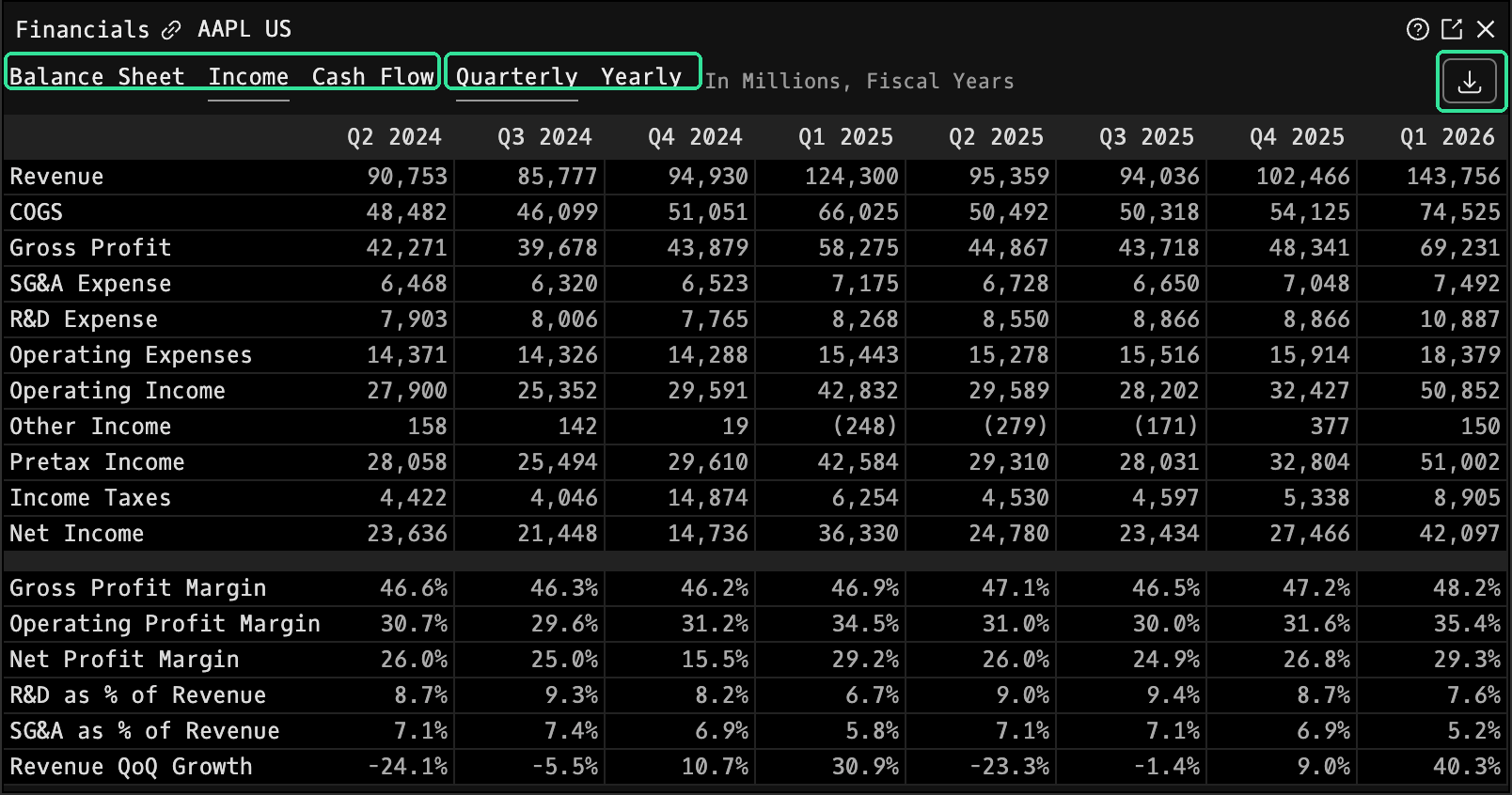
FA is the Godel Terminal command for viewing a company's income statement, balance sheet, and cash-flow statement on quarterly and annual bases.
How to use FA
Security Identifier/Ticker Country/Instrument Asset Class FA
Example: NVDA US EQ FA: displays the income statement, balance sheet, and cash-flow statement for Nvidia.

Toggle between Balance Sheet, Income Statement, and Cash Flow views, switch between Quarterly and Yearly data, and click the download icon (↓) to export to Excel or JSON.
FAQ
What does FA do?
FA is the Godel Terminal financials command.
How do I open FA in Godel Terminal?
Type FA in the terminal, or prefix with a ticker (for example, NVDA US EQ FA).
Is FA available on all plans?
Yes, FA is available on every Godel plan.
Does FA work for ETFs, indices, or non-US securities?
FA is built around individual equities. ETFs and indices do not carry this data, so it is stock-focused; non-US companies appear where the underlying data is available.