IPO: Initial Public Offerings Command
IPO is the Godel Terminal command for viewing upcoming and recent IPOs with expected pricing, exchange, underwriters, and post-listing performance.
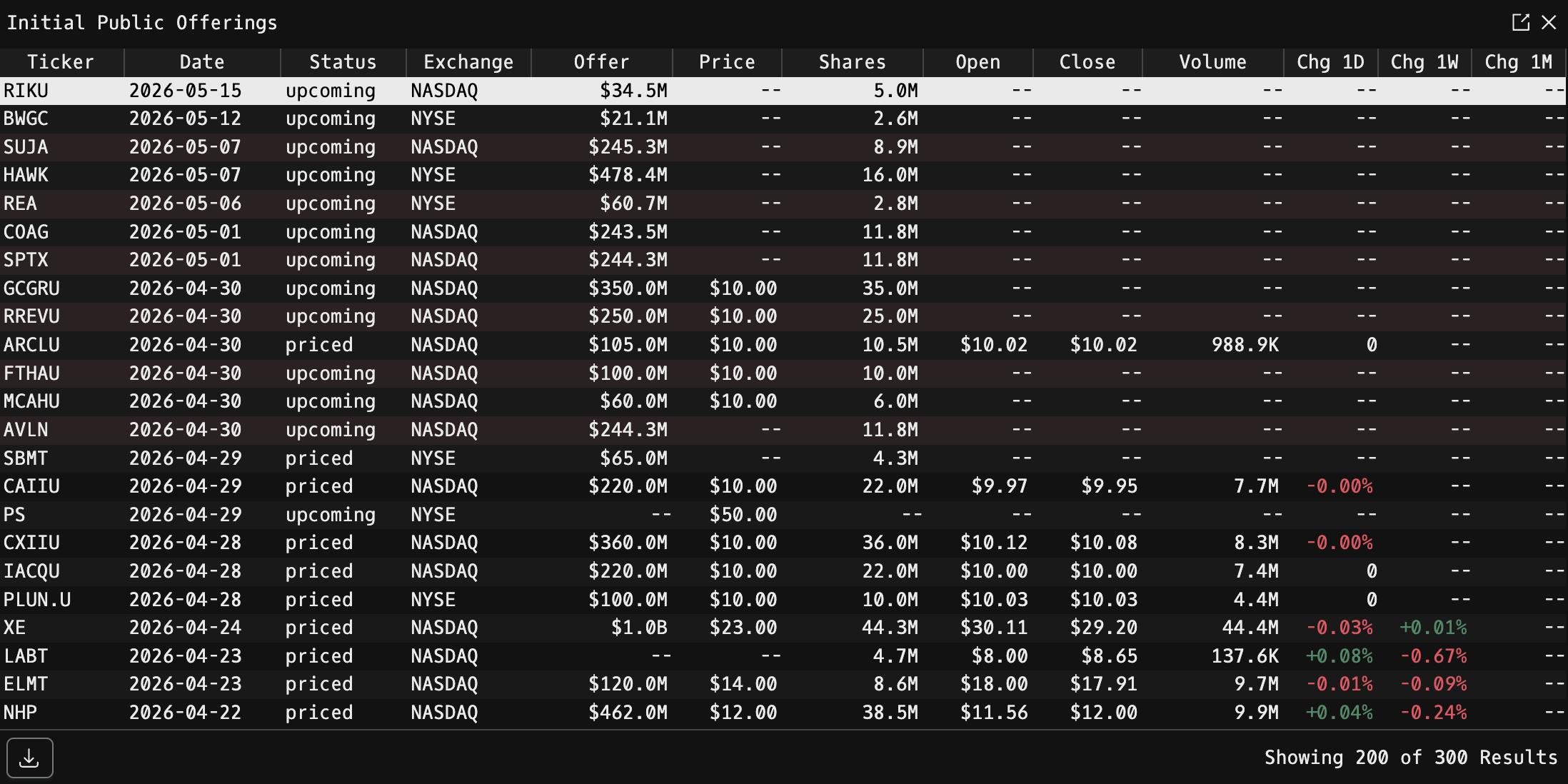
How to use IPO
Command:
IPO

Display Columns
| Column | Description |
|---|---|
| Ticker | IPO symbol |
| Date | Offering or expected offering date |
| Status | Stage (e.g. upcoming, priced, trading) |
| Exchange | Listing exchange |
| Offer | Total offering size in dollars, K / M / B formatted |
| Price | Offering price per share |
| Shares | Number of shares offered |
| Open | First-day opening price |
| Close | First-day closing price |
| Volume | First-day share volume |
| Chg 1D | First-day performance (%): green / red |
| Chg 1W | First-week performance (%): green / red |
| Chg 1M | First-month performance (%): green / red |
Rows where Status === "upcoming" are rendered with a tinted background so you can spot pipeline issues at a glance.
Row Click
Click any row to open its source document in a new browser tab:
- If the IPO has a filed SEC report, the S-1 / prospectus link opens.
- Otherwise the announcement link is used as a fallback.
Export
Use the Excel download control at the bottom of the table to export the full list.
Paging
The table loads up to 100 rows per page with horizontal scrolling enabled.
FAQ
What does IPO do?
IPO is the Godel Terminal initial public offerings command.
How do I open IPO in Godel Terminal?
Type IPO in the terminal.
Is IPO available on all plans?
Yes, IPO is available on every Godel plan.