HP: Historical Prices Command
HP is the Godel Terminal command for viewing a security's historical prices as a daily or intraday table: OHLCV exportable to Excel or JSON.
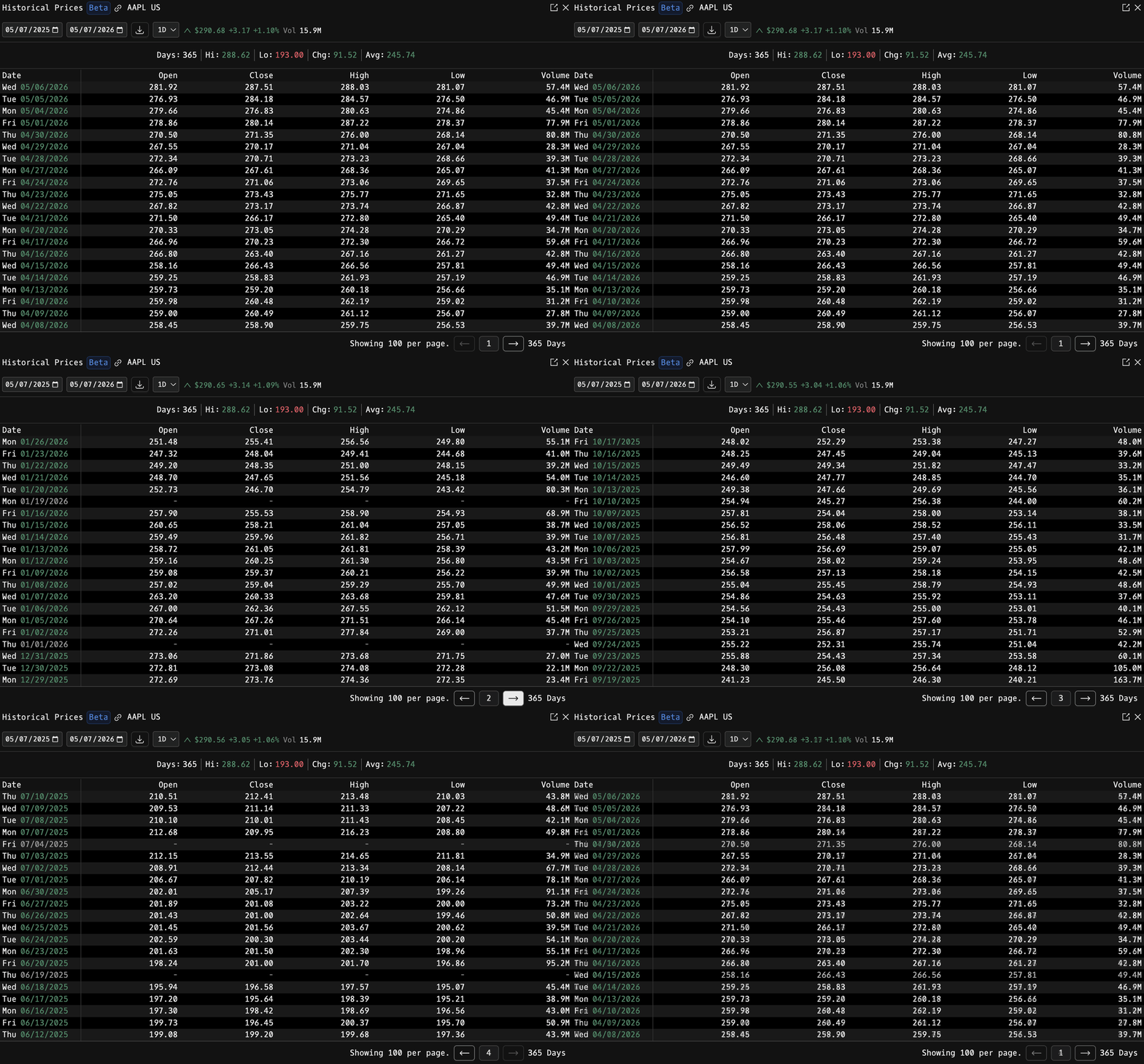
How to use HP
Security Identifier/Ticker Country/Instrument Asset Class HP
Example: AAPL US EQ HP: daily prices for Apple (default = one year back to today).

Toolbar
At the top of the window:
- Date pickers: start and end of the history window.
- Excel download (icon): exports every loaded row to a spreadsheet.
- Resolution dropdown: 1D, 1H, 1M. See Resolutions below.
- QuickQuote chip: current live price.
Resolutions
HP renders three resolutions out of the same window: daily, hourly, and minute-level. The toolbar dropdown switches between them; switching to 1D or 1H resets the range to the last year, while 1M resets to yesterday only because minute data is dense.
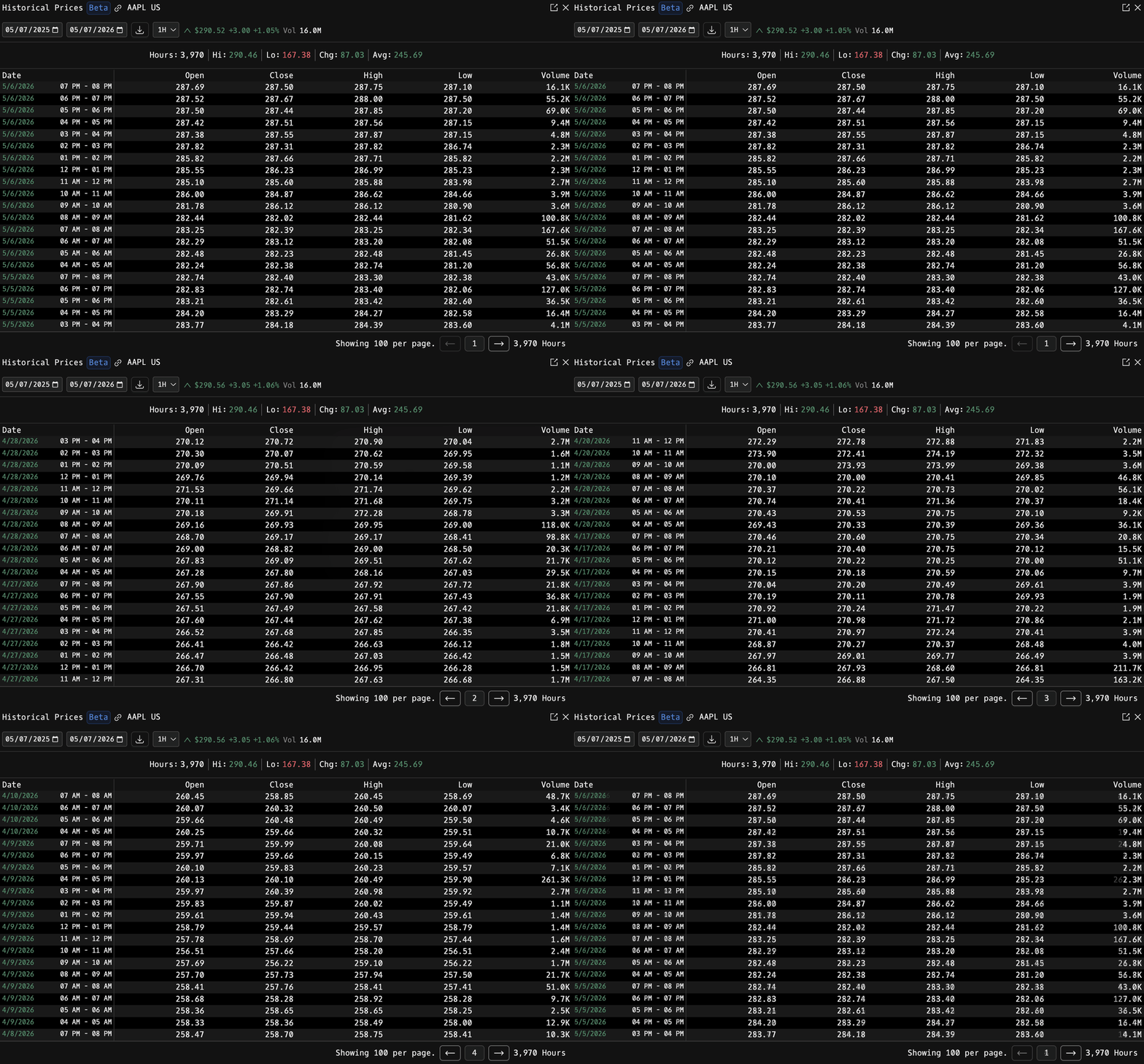
1H: hourly intraday
Each row is one trading hour, labelled with the hour range (e.g. 07 PM to 08 PM). The summary bar reports total Hours in the loaded range; volume is the hour's tape.
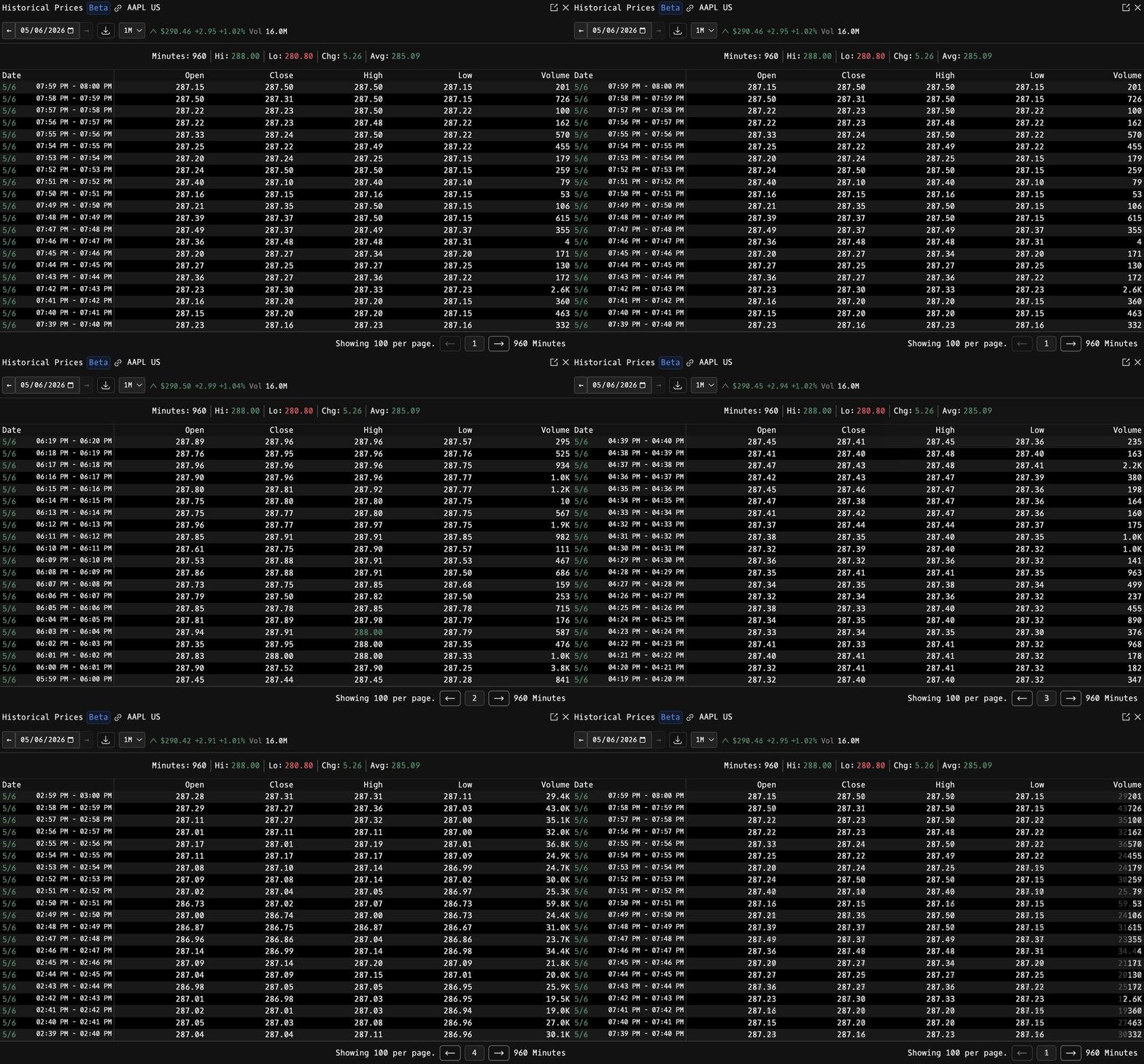
1M: minute-level intraday
Each row is one minute, labelled with the minute range (e.g. 07:59 PM to 08:00 PM). The summary bar reports total Minutes in the loaded range. Use the date picker to widen the window beyond yesterday.
Summary Bar
Underneath the toolbar, HP displays a one-line analysis of the loaded range:
- Units: how many rows are shown (Days / Hours / Minutes)
- Hi: period high, in green
- Lo: period low, in red
- Chg: cumulative change from the first to last close, color-coded
- Avg: mean close across the range, in primary theme color
Display Columns
| Column | Description |
|---|---|
| Date | Date (and time range for intraday resolutions): weekdays are labeled; highest / lowest rows are called out by color |
| Open | Session open |
| Close | Session close |
| High | Session high: highlighted green if it is the period high |
| Low | Session low: highlighted red if it is the period low |
| Volume | Session volume, K / M / B formatted |
On daily view, weekends are elided and closed-market weekdays render a grayed-out placeholder row so the calendar is continuous.
Paging
HP shows 100 rows per page. Use the previous / next arrows in the footer to move through the range; the center chip shows the current page number.
Multi-asset history
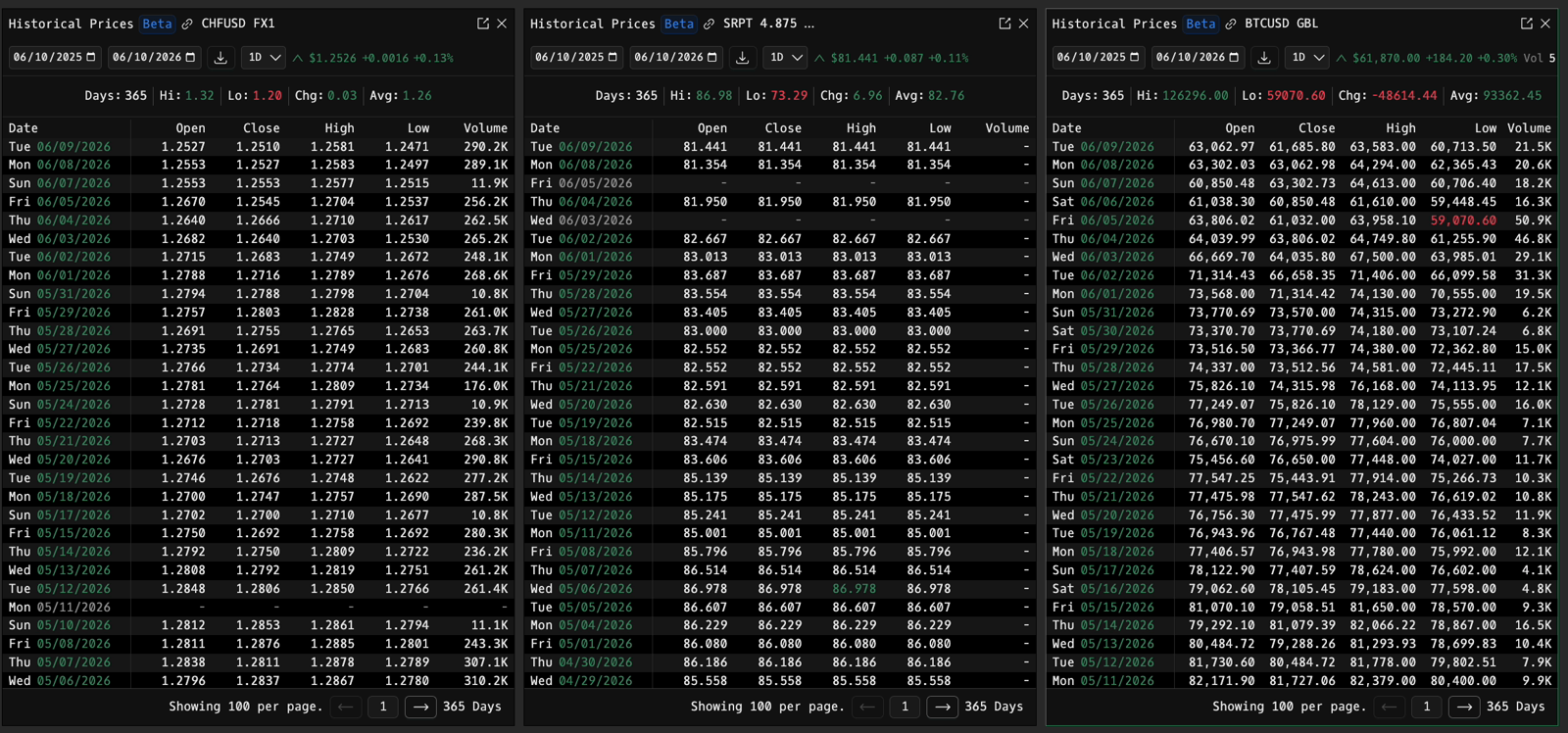
HP is not just for equities. Open historical prices on forex pairs, corporate and sovereign bonds, crypto, futures, and indices: find the instrument with SECF, then open HP on it. Below: a year of daily history on CHFUSD forex, the SRPT 4.875 corporate bond, and BTCUSD, side by side in one workspace.
Entitlements
- Daily (1D) data is available to all accounts.
- Intraday (1H and 1M) data requires an entitlement: see the ENT command to get access.