AUM: Brokerage AUM Command
AUM is the Godel Terminal command for viewing connected-brokerage asset totals: either the aggregate across all Godel users or your own linked accounts.
How to use AUM
Command:
AUM

Switch between the two tabs at the top of the window:
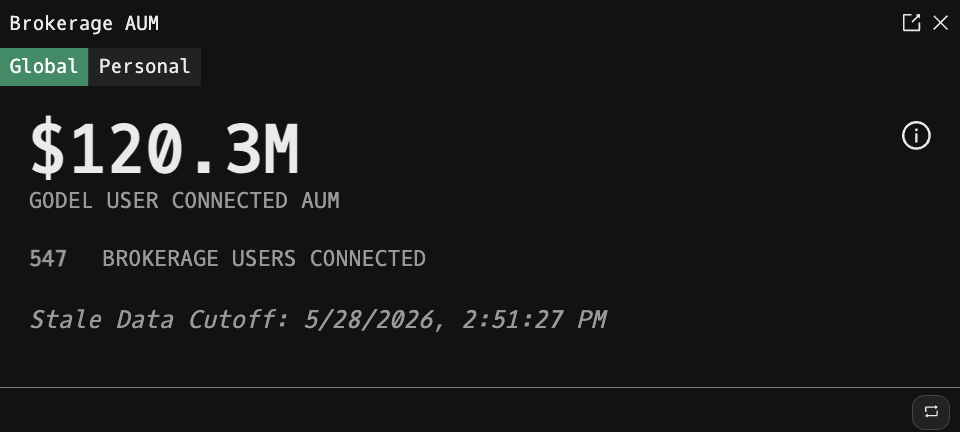
Global
Shows the total USD AUM across every connected Godel user, together with the number of connected brokerage users and the timestamp of the last refresh ("Stale Data Cutoff"). Individual user balances are refreshed approximately every 24 hours.
Availability: Global AUM requires a paid Godel account. Anonymous and free (piker) users see an upgrade prompt on this tab.
Personal
Shows the combined USD value of every brokerage you have linked through BROK, the timestamp it was last refreshed, and whether the brokerage discount threshold is met.
Brokerage discount: if you hold over $5,000 USD (or equivalent) across your linked brokerages and have made at least one eligible trade in the past month, the discount threshold shows Yes.
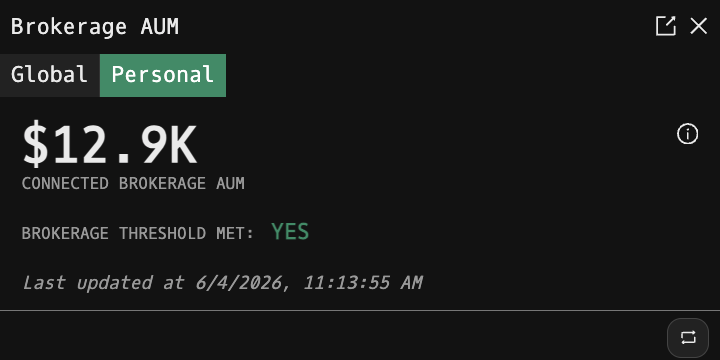
Availability: Personal AUM requires a logged-in account. Anonymous users see a sign-up prompt.
Info Panel
Click the ⓘ icon in the top-right corner of either tab to overlay a short explanation of what the displayed number means.
Refresh
Use the refresh icon in the bottom-right status bar to re-fetch the current tab's data.