BROK: Brokerage Command
BROK is the Godel Terminal command for connecting one or more brokerage accounts to Godel through SnapTrade: unlocks AUM views and portfolio features.
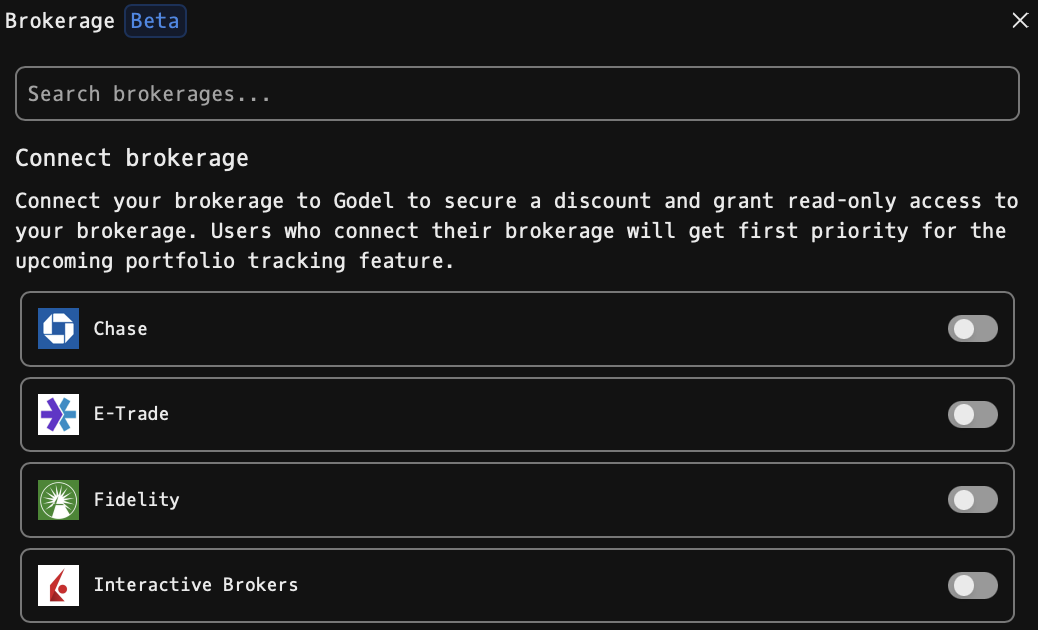
How to use BROK
Command:
BROK

Supported Brokerages
Godel currently supports the following brokerages through SnapTrade. Click any name to jump to SnapTrade's own integration page, which covers the brokerage-specific auth flow, supported regions, and whether trading is available through the integration.
- Chase
- E-Trade
- Fidelity
- Interactive Brokers (see dedicated section below)
- Public
- Questrade
- Robinhood
- Schwab
- Stake Australia
- tastytrade
- TD Direct Investing
- Trading212
- Webull
- Wells Fargo
Stake Australia, TD Direct Investing, and Wells Fargo currently don't have their own pages on SnapTrade's site: those three links point to SnapTrade's full integrations directory.
The list is kept in sync with SnapTrade's supported integrations: if one of these appears grayed out for you, it may be temporarily unavailable on SnapTrade's side. To request a brokerage that isn't on this list, see Requesting a New Brokerage.
Connecting a Brokerage
1. Search the brokerage list using the search field at the top, or scroll through the alphabetically sorted grid of supported brokerages. 2. Flip the toggle on a brokerage card to start the connection flow. A SnapTrade connection portal opens inline in the window. 3. Sign in to your brokerage inside the portal. On success, the toggle stays on and the card is highlighted in your primary theme color.
Managing Connections
- Active connections are shown with a colored border and the toggle in the on position.
- Disconnecting: flip the toggle off: a confirmation toast asks you to confirm removal.
- Reconnecting: if a connection has expired or failed, flipping its toggle runs a disconnect-then-reconnect cycle so you can re-authenticate.
Brokerage-Specific: Interactive Brokers (IBKR)
IBKR authenticates through a Query ID + Token rather than a password, so the connection flow has a few extra steps.
Connect IBKR
1. In BROK, flip the toggle on the Interactive Brokers card. The SnapTrade connection portal opens inline. 2. Accept SnapTrade's Terms & Conditions: required the first time you connect any account. 3. Click Continue: SnapTrade redirects you to IBKR's secure site. 4. Submit your IBKR Query ID and Token on IBKR's page. If you don't have them yet, generate them in Client Portal under Performance & Reports → Flex Queries (the Query ID) and User → Settings → Account Settings → Configure Flex Web Service (the Token). 5. You'll be redirected back into Godel with IBKR connected. The card picks up your primary theme color and the toggle stays on.
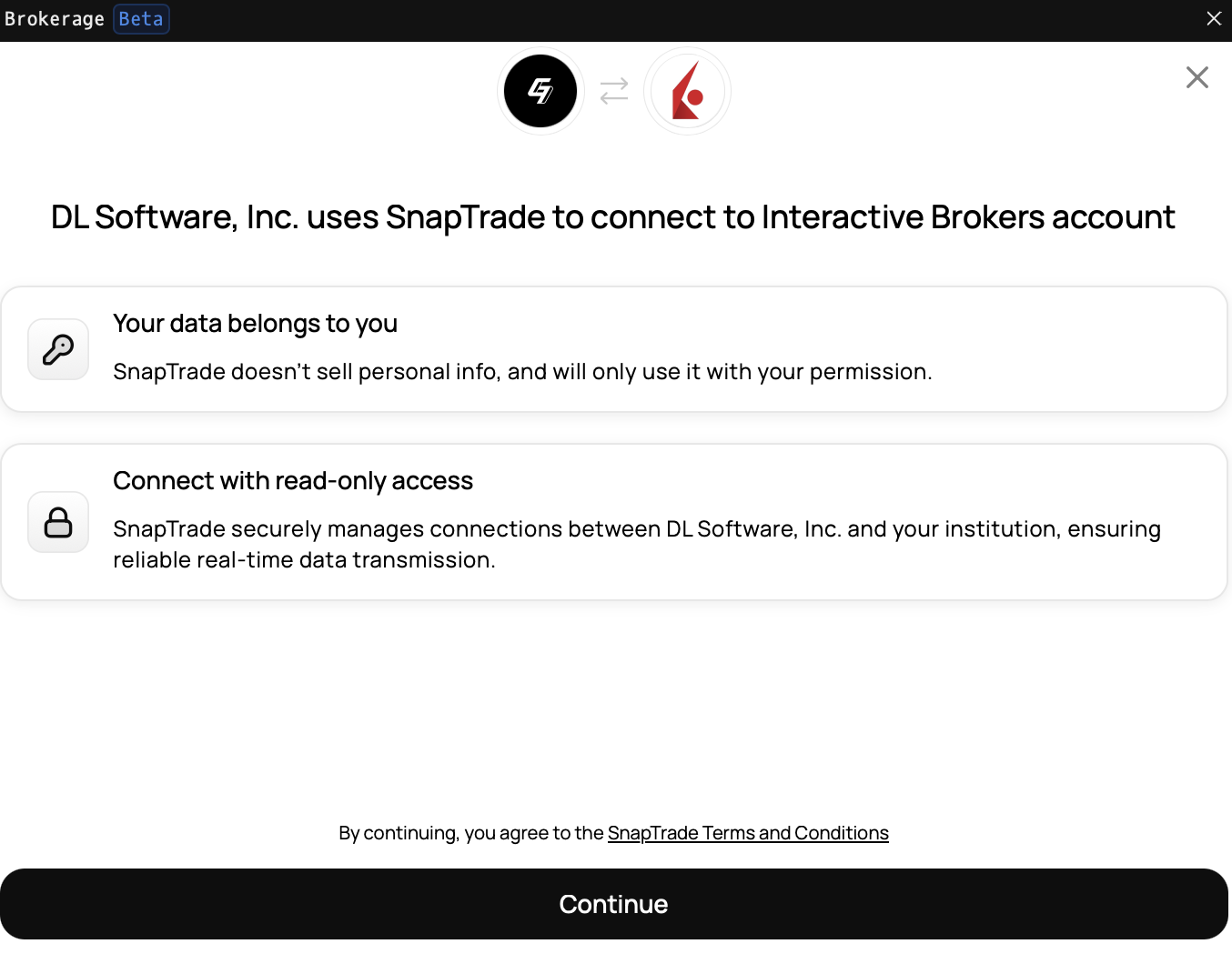
Access is read-only: SnapTrade's IBKR integration pulls account and portfolio data via IBKR Flex Query and does not support placing trades.
Disconnect IBKR
You can disconnect in two places: either works:
- From Godel: open BROK, find the Interactive Brokers card, flip its toggle off, and confirm the removal toast.
- From IBKR directly: log in to Client Portal, go to Settings → Account Settings → Configure Flex Web Service, and revoke the token Godel is using.
Disconnecting from IBKR's side alone will stop data from flowing, but the card in BROK may still show as connected until the next poll; flipping the toggle off in Godel cleans that up.
Reconnect IBKR
If the connection has expired or failed (toggle is off but the card still lists a prior integration), flipping the toggle back on runs a disconnect-then-reconnect cycle:
1. Godel removes the old, broken integration. 2. SnapTrade re-opens the connection portal. 3. Re-enter (or generate a fresh) Query ID and Token on IBKR's site. 4. You're redirected back to Godel with a clean active connection.
Regions supported: US, Europe, Australia, India, Canada.
Requesting a New Brokerage
If your brokerage isn't listed, use the "Don't see your brokerage? Submit it here" feedback form at the bottom of the window to request support.
Notes
- BROK requires a paid Godel account. Anonymous and free (piker) users see an upgrade prompt instead of the brokerage list.
- Access is read-only: Godel never has the ability to place trades on your behalf.
- BROK is limited to a single open window.
- BROK is currently in beta.