ACM: Account Management Command
ACM is the Godel Terminal command for managing your account: edit your profile, change your subscription, update billing, and view invoice history.
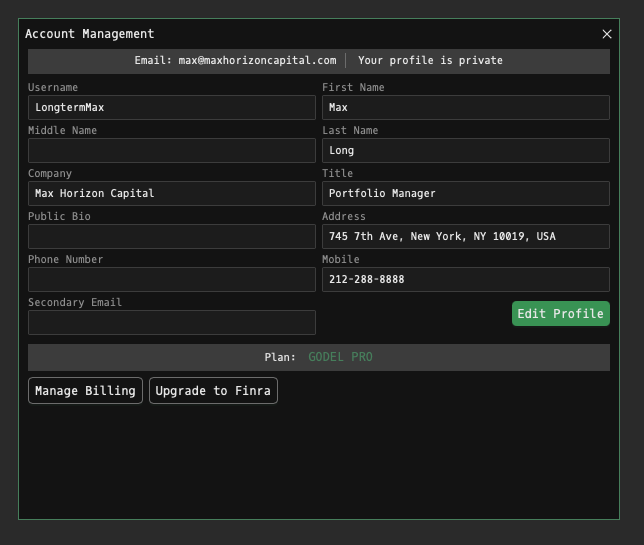
How to use ACM
Command:
ACM

Alternative Access: Hover over the profile icon (top-right) and select Profile from the dropdown menu.
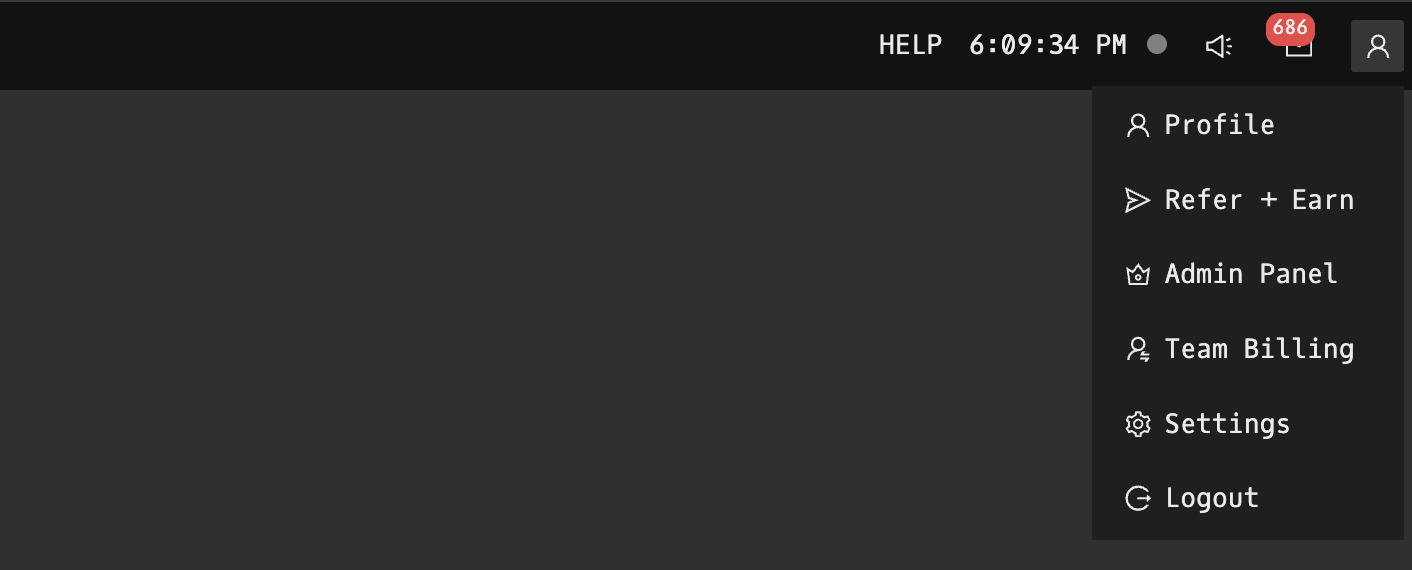
Profile Management
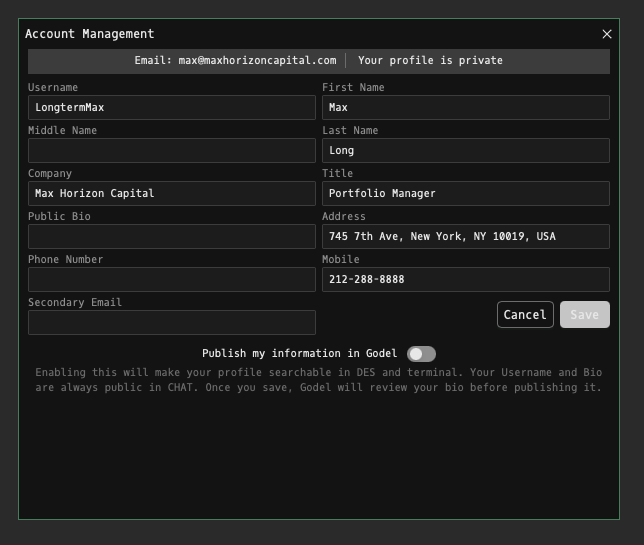
Edit Profile Information
- Username: Your username (visible to other users)
- First Name & Last Name: Personal identification
- Middle Name: Optional field
- Company & Title: Professional information
- Public Bio: Profile description visible to others
- Address: Location information
- Phone Number & Mobile: Contact details
- Secondary Email: Alternative email address
Profile Settings
- Privacy: Toggle between public and private profile
- Publish in Godel: Enable/disable profile visibility in DES and terminal
- Edit Profile: Save changes to update your information
Note: Username and Bio are always public in CHAT. Once saved, Godel will review your bio before publishing.
Subscription Management
To manage your billing, click Manage Billing which will take you to Stripe:
- Next billing date
- Billing information
- Payment Method: View/update payment details
- Invoice History: Access past billing statements
- Cancel Subscription: End your Godel Terminal subscription
FINRA Upgrade Notice
To upgrade to FINRA, click Upgrade to FINRA. When upgrading to FINRA license:
- Monthly charge increases for compliance
- Required for FINRA-registered professionals
- Do not click this unless you are FINRA certified
FAQ
What does ACM do?
ACM is the Godel Terminal account management command.
How do I open ACM in Godel Terminal?
Type ACM in the terminal.
Is ACM available on all plans?
Yes, ACM is available on every Godel plan.