NOTE: Notes Command
NOTE is the Godel Terminal command for opening a rich-text notes editor: persisted across sessions and linkable to securities.
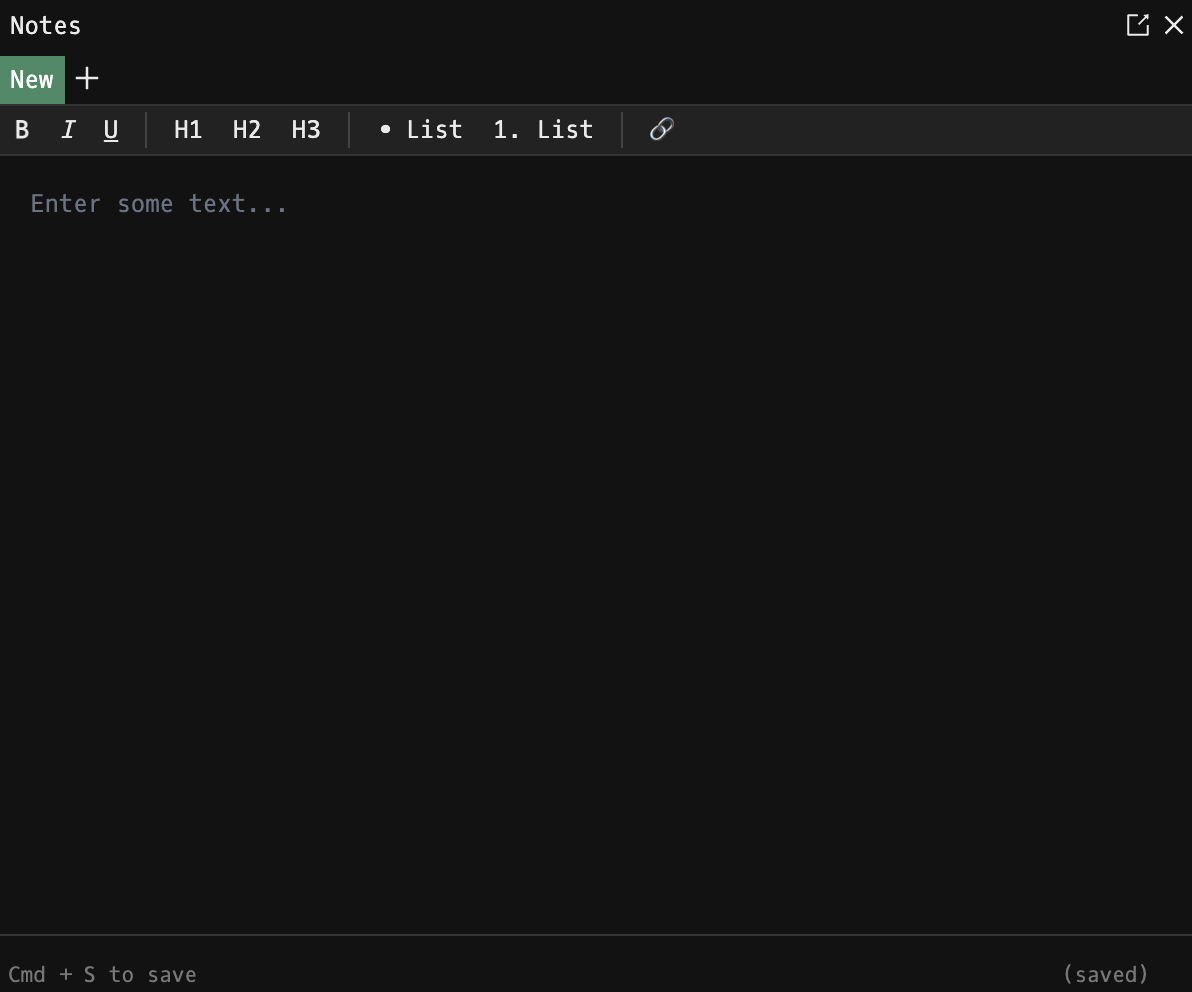
How to use NOTE
Command:
NOTE

Managing Notes
- New note: click + in the tab bar. The new note is created immediately and focused; rename it inline by clicking its title.
- Switch notes: click any tab. Switching auto-saves the note you were just editing.
- Rename: double-click a tab's title (or use the edit affordance) to rename.
- Delete: click the × on a tab. A confirmation toast asks you to confirm, unless the note is empty (empty notes are deleted without prompting).
Editor
The editor is a lightweight Lexical-based rich-text editor. It supports the usual inline formatting, paragraphs, lists, and pasted HTML content. Plain-text notes from older versions of NOTE are auto-migrated to HTML on first open so existing content is preserved.
Saving
- Autosave: every 10 seconds while you are editing.
- Manual save: Cmd + S (macOS) or Ctrl + S (Windows / Linux).
- The footer shows the current save status: (saved) or (unsaved), along with a reminder of the manual save shortcut.
Hotkey Behavior
While the editor is focused, Godel's global keyboard shortcuts are temporarily disabled so they don't interfere with typing. They're re-enabled automatically as soon as you click away.
Notes
- NOTE requires an account: anonymous users see a sign-up prompt instead of the editor.
- NOTE is limited to a single open window. Your tabs are shared across that window regardless of which layout you are in.
FAQ
What does NOTE do?
NOTE is the Godel Terminal notes command.
How do I open NOTE in Godel Terminal?
Type NOTE in the terminal, or prefix with a ticker (for example, NVDA US EQ NOTE).
Is NOTE available on all plans?
Yes, NOTE is available on every Godel plan.