CHANGE: Changelog Command
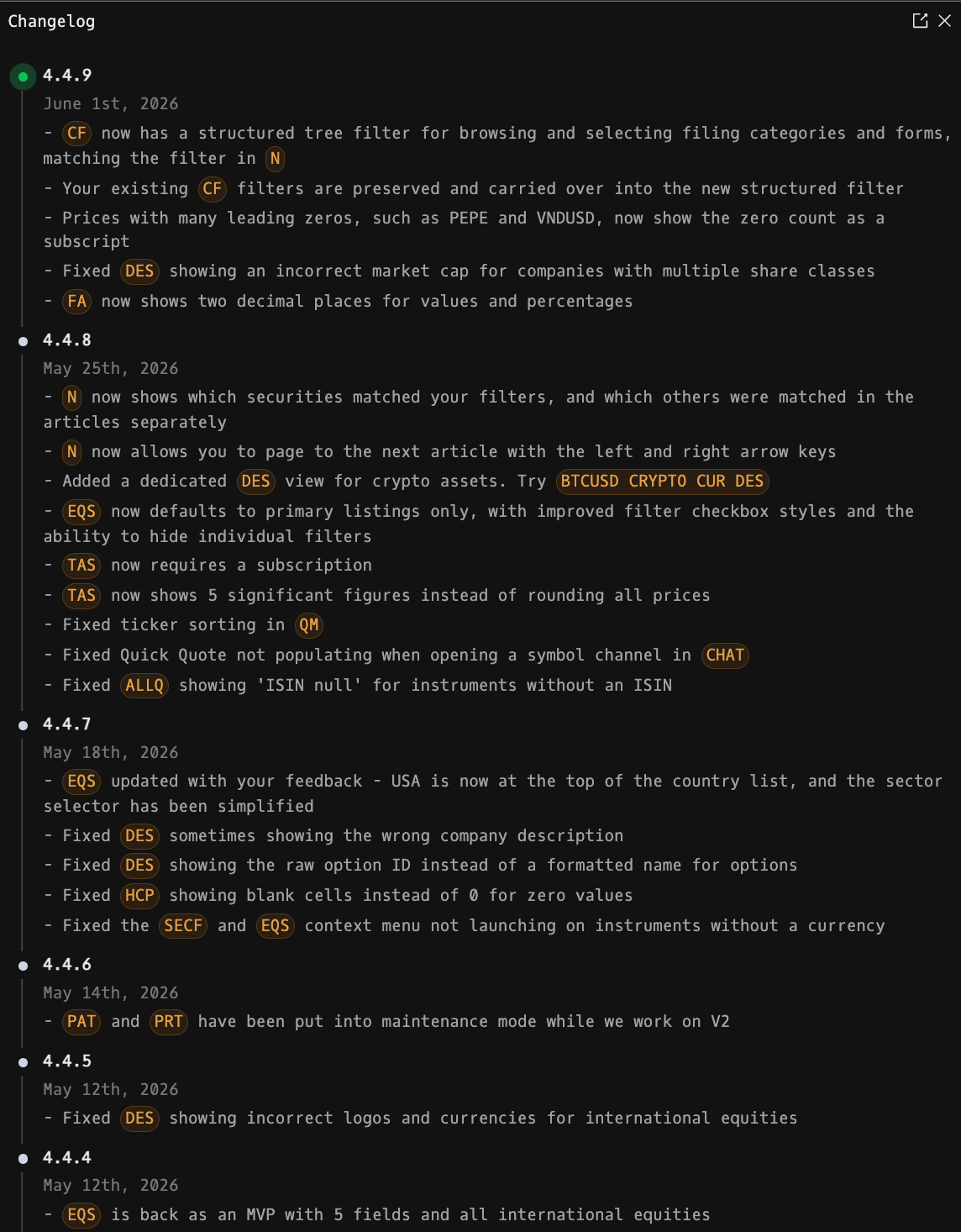
CHANGE is the Godel Terminal command for viewing the product changelog: a versioned timeline of every feature, fix, and improvement shipped.
How to use CHANGE
Command:
CHANGE

Reading an Entry
Each entry shows:
- Version: the release identifier.
- Date: when the release went out.
- Changes: a bullet list describing what was added, changed, or fixed.
Inline Interactive Elements
Changelog entries can include three kinds of clickable elements that open things in the terminal directly:
- Plain URLs: rendered as underlined links and open in a new tab.
- {COMMAND}: clicking the orange pill launches that command (e.g. {FOCUS} opens a Focus window, {ERR} opens the bug report dialog).
- [EXPR]: clicking the orange pill evaluates a chat-style command string, the same way the terminal parses input (e.g. [AAPL US EQ G] opens an Apple chart, [NI inflation] opens a News search for "inflation").
Notes
- CHANGE is limited to a single open window.
FAQ
What does CHANGE do?
CHANGE is the Godel Terminal changelog command.
How do I open CHANGE in Godel Terminal?
Type CHANGE in the terminal.
Is CHANGE available on all plans?
Yes, CHANGE is available on every Godel plan.