CALC: Calculator Command
CALC is the Godel Terminal command for launching an inline financial calculator with standard and finance modes.
How to use CALC
Command:
CALC

Calculator Modes
Standard Mode
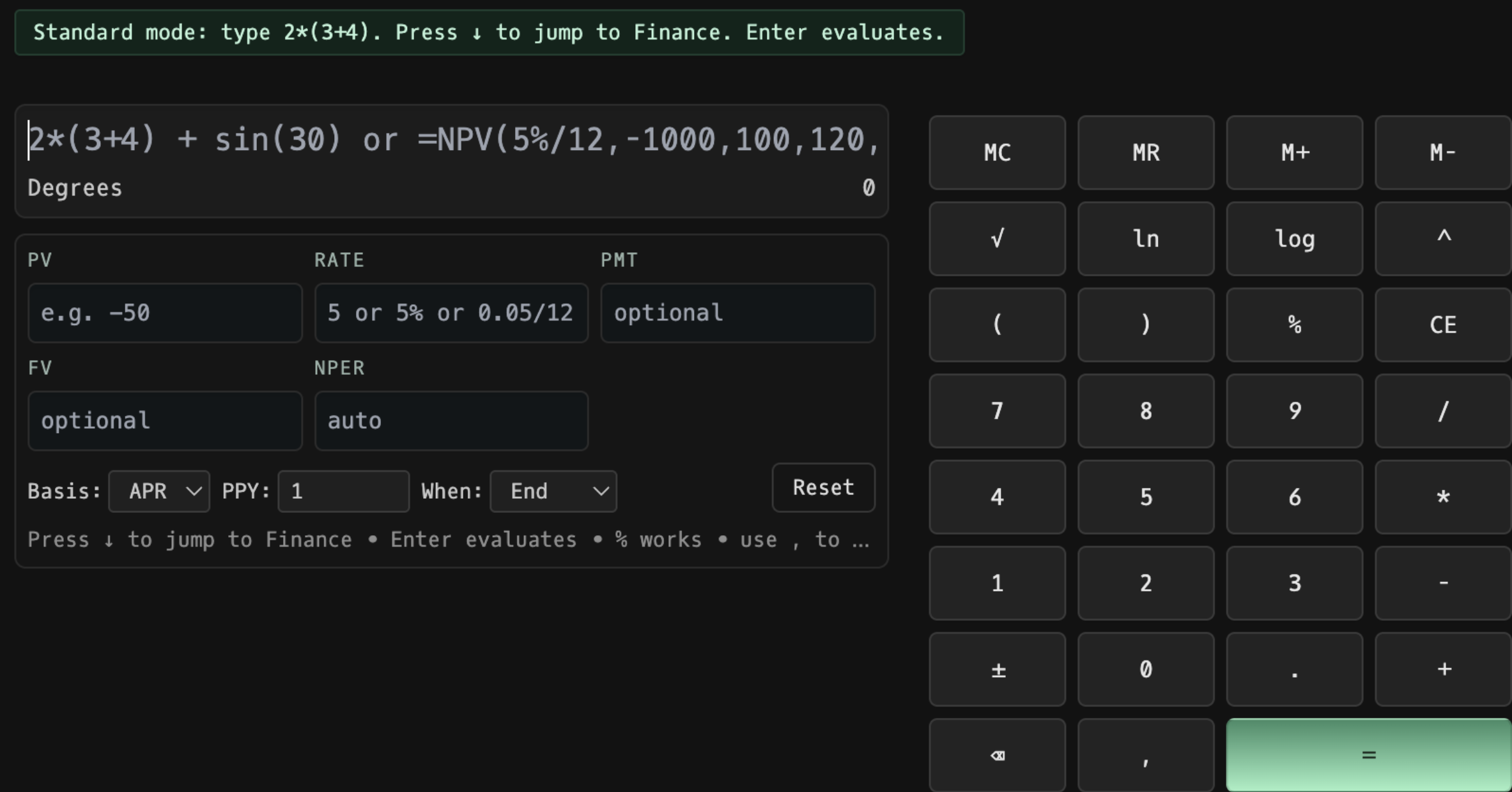
Press ↑ to jump to Finance mode. Features include:
- Basic arithmetic operations (+, -, *, /)
- Scientific functions (√, ln, log, ^)
- Memory functions (MC, MR, M+, M-)
- Parentheses and percentage calculations
- CE (Clear Entry) and Reset functions
Finance Mode
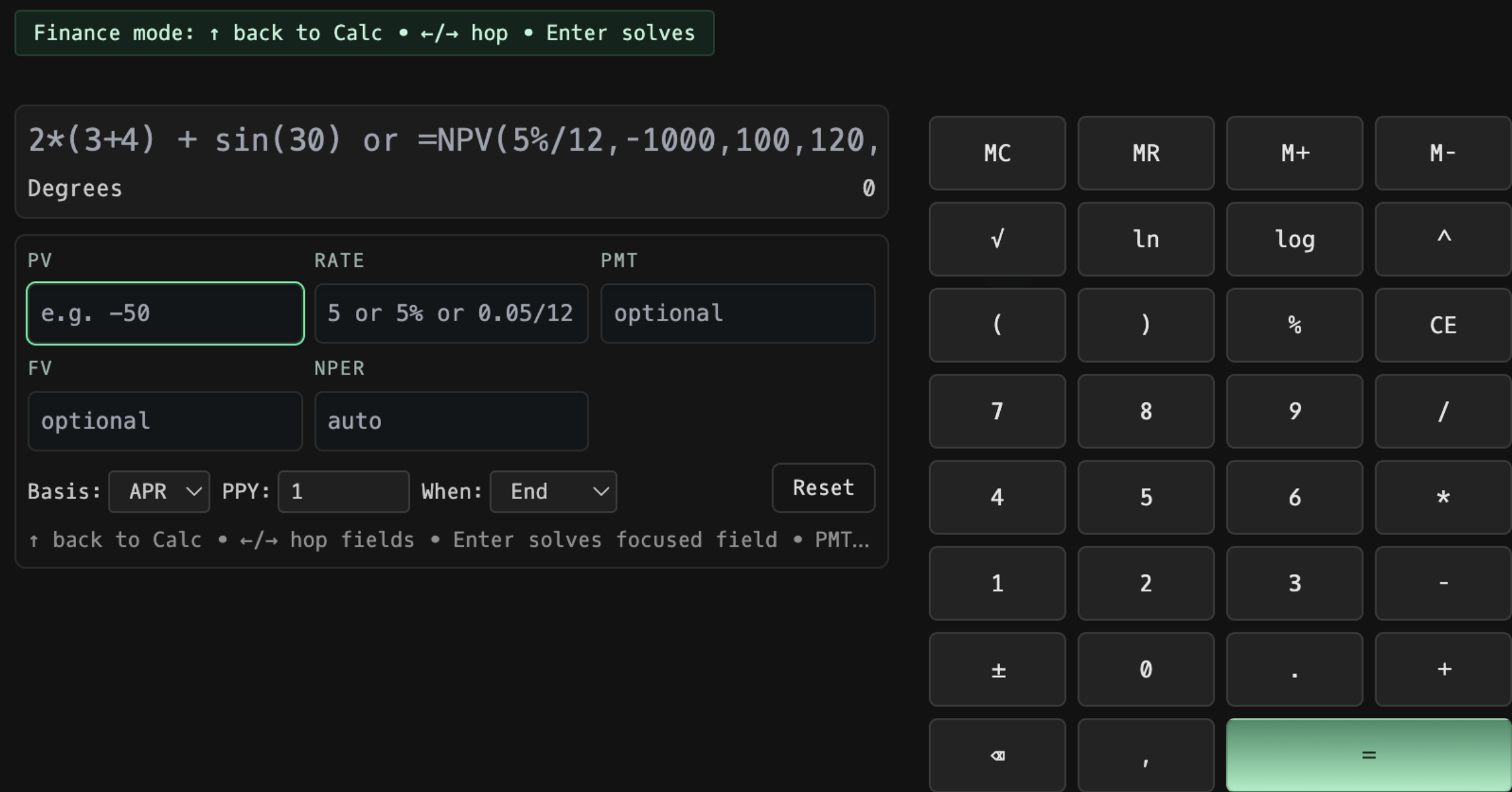
Access by pressing ↑ from Standard mode or clicking the mode selector. Includes specialized fields:
Input Fields:
- PV: Present Value (e.g., -50)
- RATE: Interest rate (5 or 5% or 0.05/12)
- PMT: Payment amount (optional)
- FV: Future Value (optional)
- NPER: Number of periods (auto-calculated)
Navigation:
- ↑ back to Calc - Return to standard calculator
- ←/→ hop fields - Navigate between input fields
- Enter - Save and calculate values
- PMT - Toggle to focus payment field
Basis Settings
Configure calculation parameters:
- APR/EAR: Annual Percentage Rate or Effective Annual Rate
- PPY: Payments per year (default: 1)
- When: Payment timing (End/Begin)
Keyboard shortcuts
| Key | Action |
|---|---|
| ↑ | Switch to Finance mode |
| ← / → | Navigate between fields (Finance mode) |
| Enter | Evaluate expression or save field |
| % | Percentage calculation |
| Reset | Clear all entries |
FAQ
What does CALC do?
CALC is the Godel Terminal calculator command.
How do I open CALC in Godel Terminal?
Type CALC in the terminal.
Is CALC available on all plans?
Yes, CALC is available on every Godel plan.