ALLQ: All Quotes Command
ALLQ is the Godel Terminal command for viewing every related listing of a security across venues and exchanges: live bid, ask, last, and volume on each line.
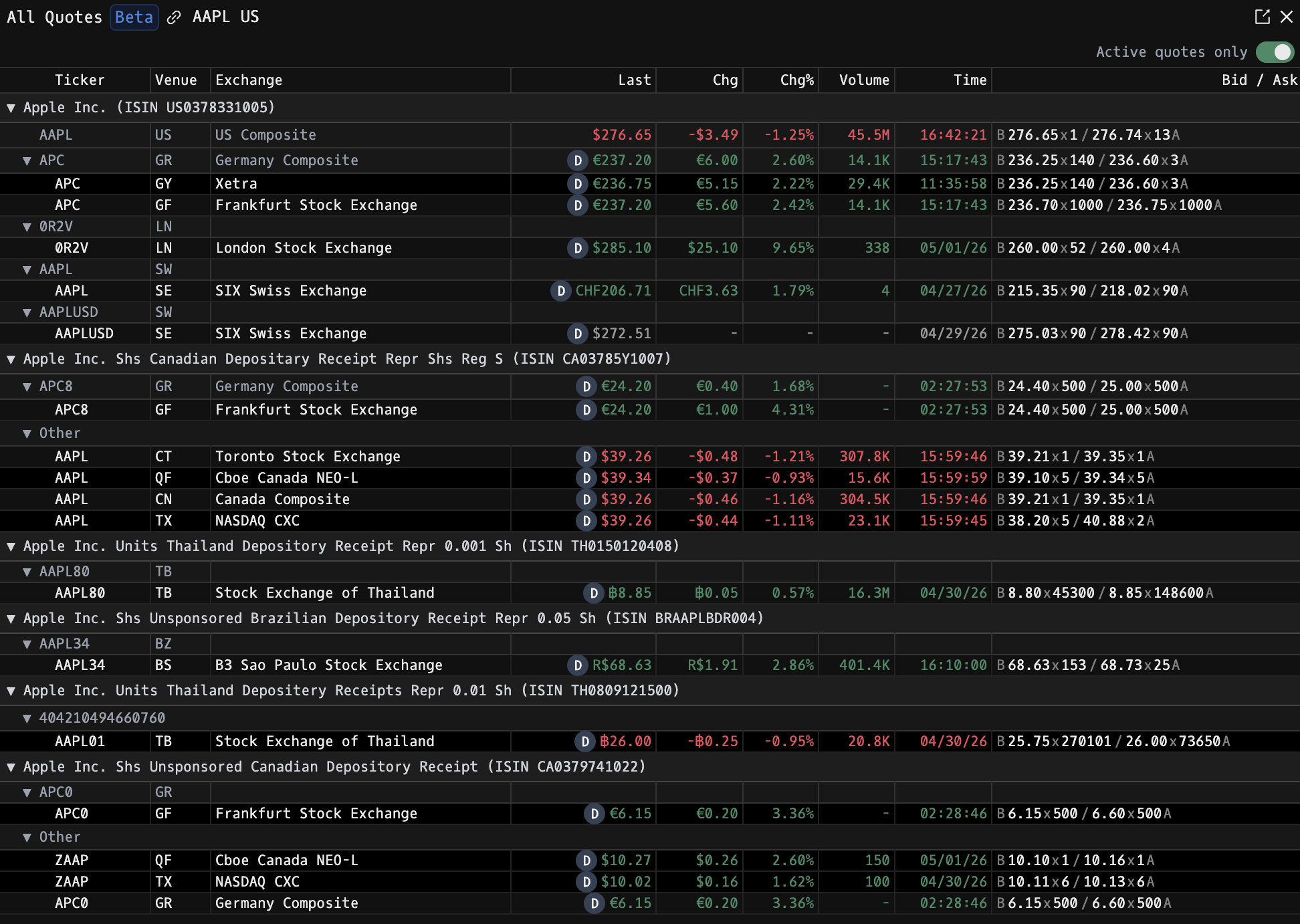
How to use ALLQ
Security Identifier/Ticker Country/Instrument Asset Class ALLQ
Example: AAPL US EQ ALLQ: lists every venue and composite listing related to Apple Inc.

Results are grouped into an expandable tree:
- Level 1: Share class (with ISIN). Click the ▶ / ▼ arrow to collapse or expand the whole group.
- Level 2: Composite listing. Shows consolidated quote data for the composite row itself.
- Level 3: Individual venue rows nested under the composite.
Display Columns
| Column | Description |
|---|---|
| Ticker | Security identifier on the venue |
| Venue | Source / venue code |
| Exchange | Listing exchange name |
| Last | Current price (prefixed with a delay indicator if the feed is delayed) |
| Chg | Absolute change from previous close |
| Chg% | Percentage change from previous close |
| Volume | Today's share volume |
| Time | Time since last trade |
| Bid / Ask | Live best bid and ask with sizes, formatted B <bid>x<bidSize> / <ask>x<askSize> A |
Change, change %, last, volume, and time are color-coded using your positive / negative color settings.
Controls
- Active quotes only (top-right toggle): hides any row that does not have both a live bid and ask. Turned on by default so you only see venues that are actually quoting.
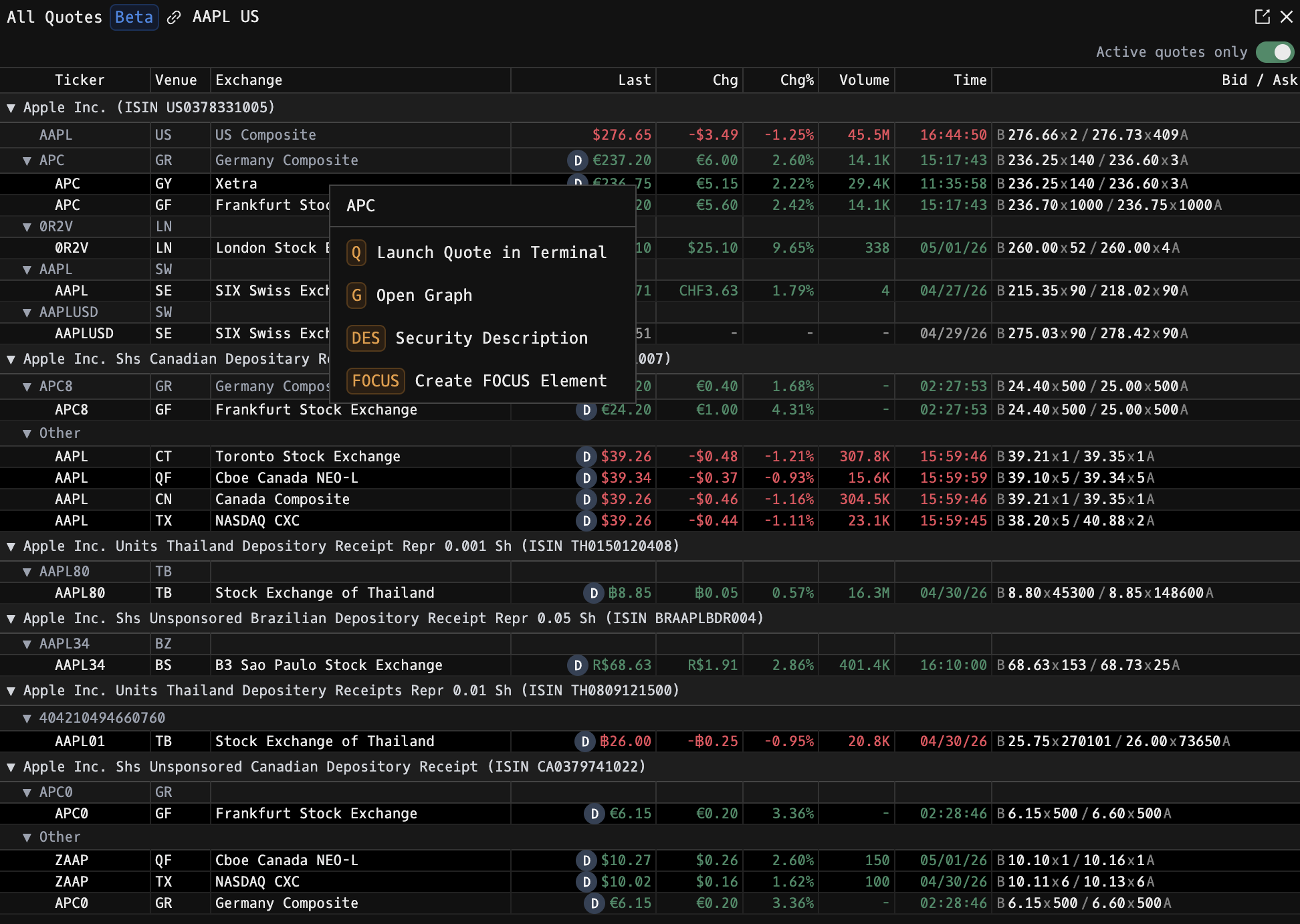
- Click a ticker row: opens the context menu to jump that instrument into other commands (e.g. FOCUS, G, OMON).
Notes
- ALLQ is in beta.
- Bid / ask data is gated: anonymous users see "Register to see bid / ask" in place of the quote.
- The delay indicator (D) appears next to the Last price for any row fed from a delayed source.
FAQ
What does ALLQ do?
ALLQ is the Godel Terminal all quotes command.
How do I open ALLQ in Godel Terminal?
Type ALLQ in the terminal, or prefix with a ticker (for example, NVDA US EQ ALLQ).
Is ALLQ available on all plans?
Yes, ALLQ is available on every Godel plan.
Does ALLQ work for ETFs, indices, or non-US securities?
Yes. ALLQ works for ETFs, indices, and non-US securities, not just US stocks.