AL: Alerts Command
AL is the Godel Terminal command for creating desktop alerts on any security's price, volume, or intraday change.
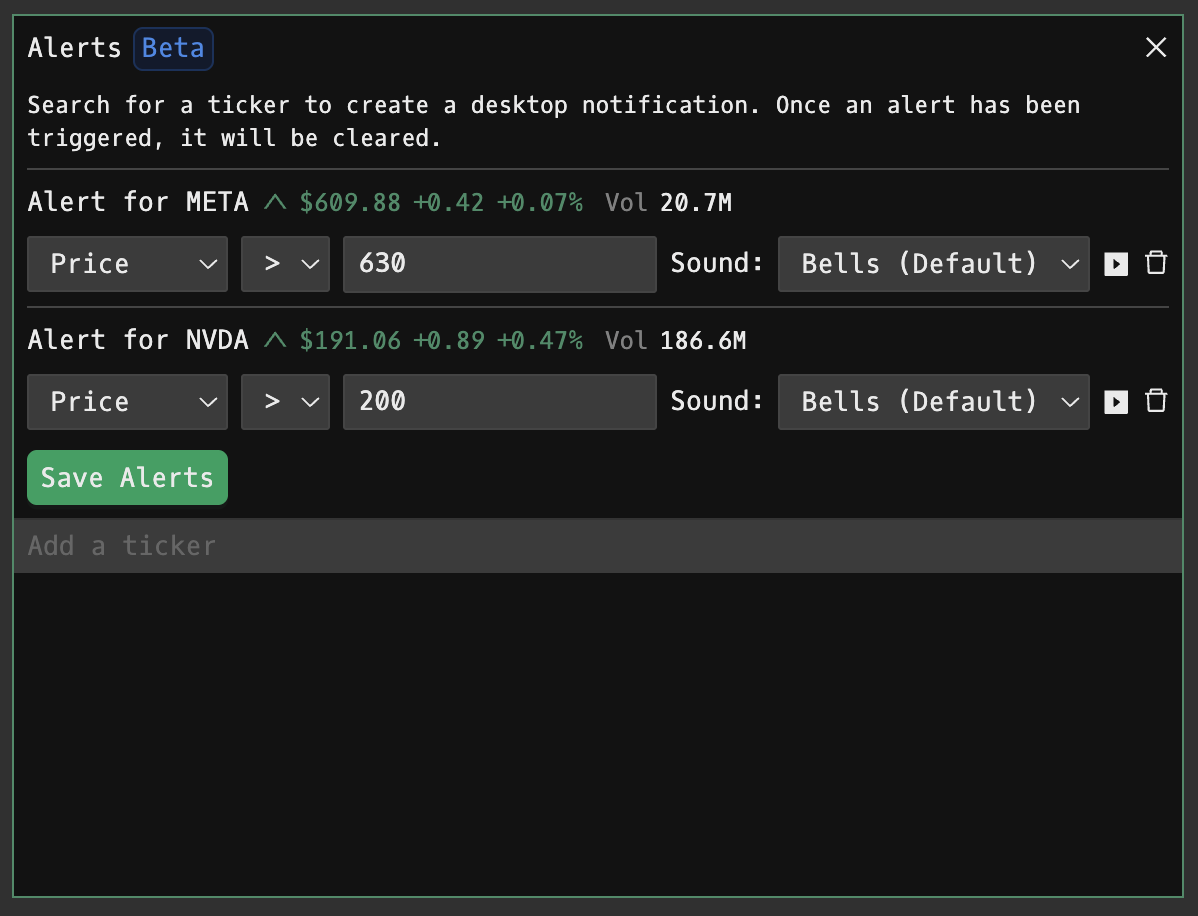
How to use AL
Command:
AL

Setting Up Alerts
1. Search for a ticker in the search field (e.g., "NVDA") and select the security from the dropdown showing available exchanges and asset classes
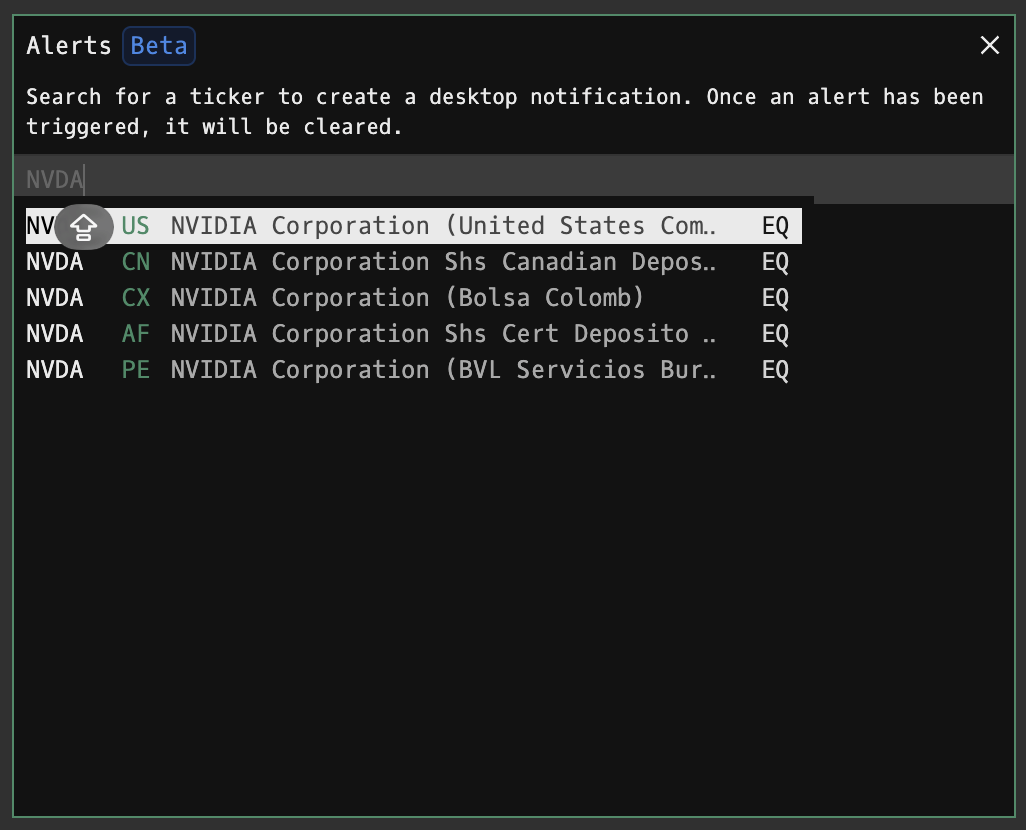
2. Configure alert parameters:
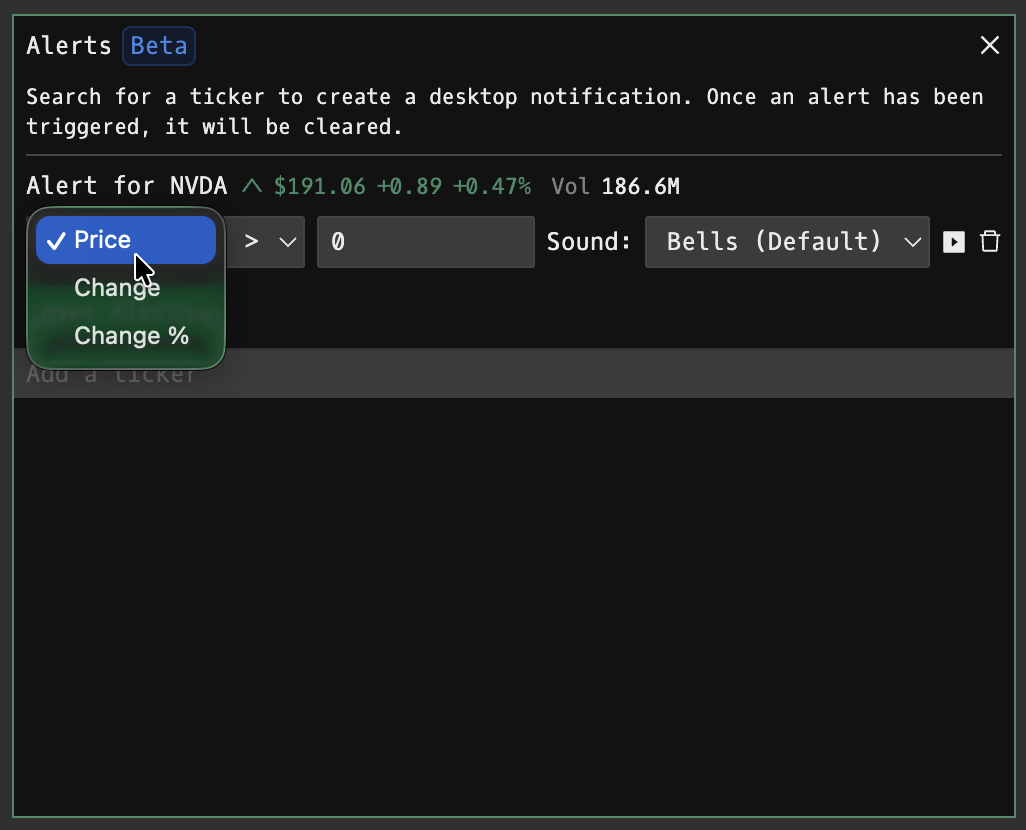
- Price: Set your trigger value
- Condition: Choose trigger type using the dropdown (> greater than, < less than, = equals)
- Change/Change %: Set alerts based on price change or percentage change
3. Sound: Select notification sound from dropdown:
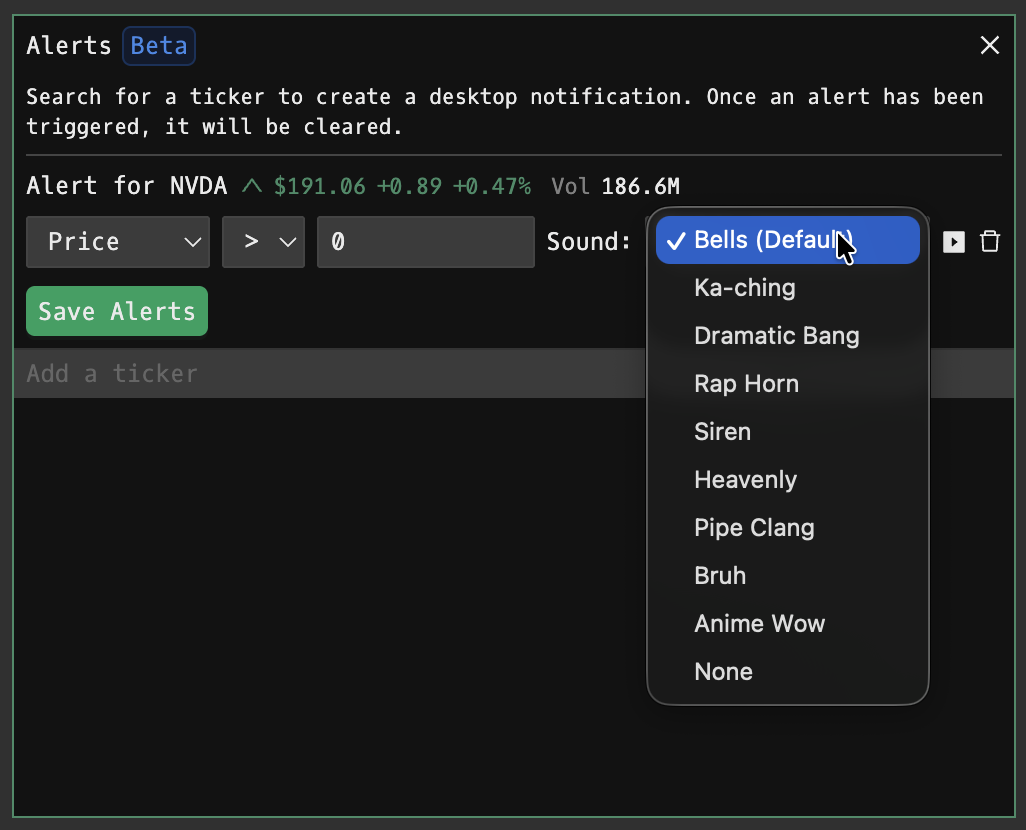
4. Click Save Alerts to activate
Browser Permissions
When first using AL, your browser will request notification permissions:
- Click Allow to enable desktop notifications
- Notifications can be managed in your browser's Settings
Alert Behavior
- One-time trigger: Alerts fire once when the condition is met, then automatically clear
- Desktop notification: Shows ticker, price, and threshold when triggered
FAQ
What does AL do?
AL is the Godel Terminal alerts command.
How do I open AL in Godel Terminal?
Type AL in the terminal, or prefix with a ticker (for example, NVDA US EQ AL).
Is AL available on all plans?
Yes, AL is available on every Godel plan.
Does AL work for ETFs, indices, or non-US securities?
Yes. AL works for ETFs, indices, and non-US securities, not just US stocks.