
See the news first with the fastest terminal.

Meet Godel Terminal

Real time data—under
one-tenth of a second.

Institutional terminal starting at $996/year.

Deep coverage across bonds, international equities, futures, and historicals.
Real-Time Global News
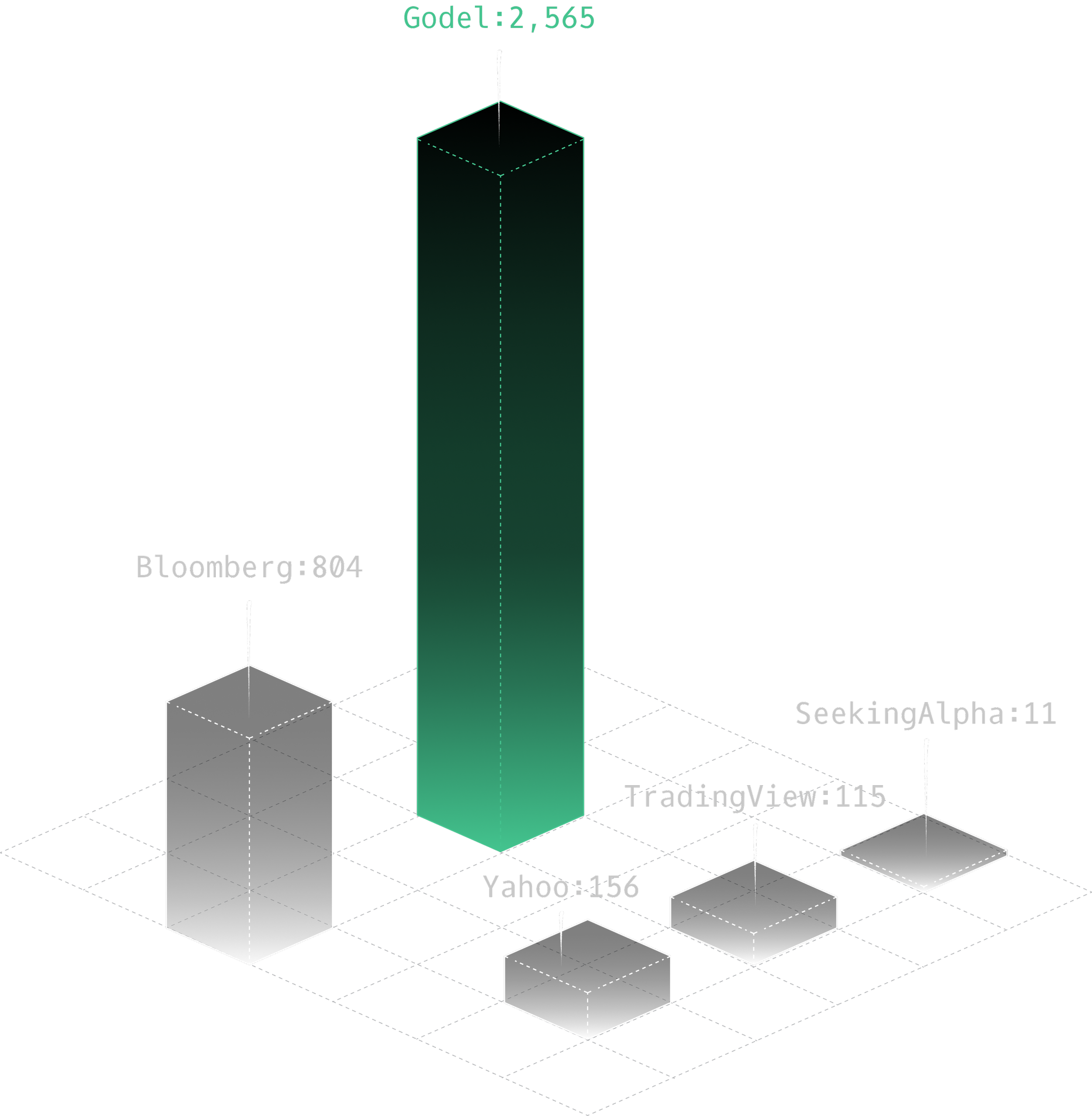
2× more news articles per ticker than any other provider.
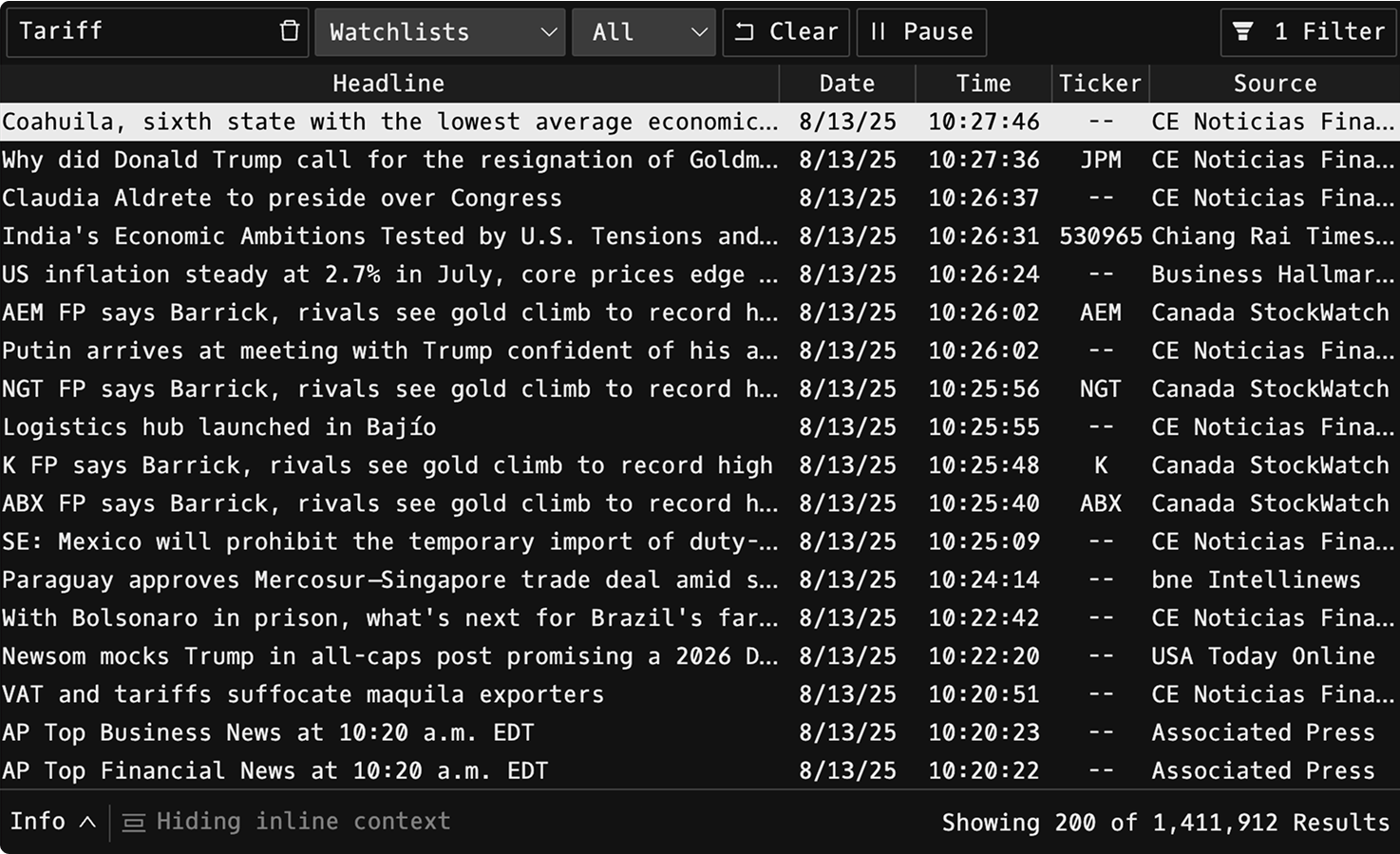
Search across global news wires, and press releases with simple commands. Combine powerful filters for source, language, ticker, keywords and date to pinpoint exactly what you need.
Largest News Database
Never miss a headline with Godel — delivering and aggregating news wires, documents, and press releases in under 100 milliseconds. Read from the largest news database available.
Real-time Charts
Built on Nasdaq data. Unlimited history, intraday charts
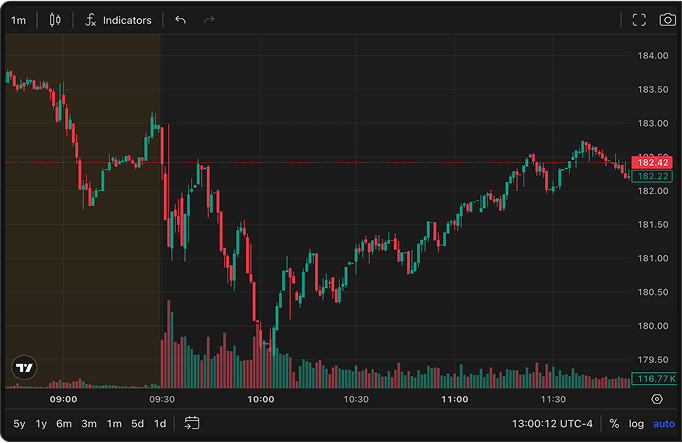
Display a clean, real-time chart for any security with full indicator support.
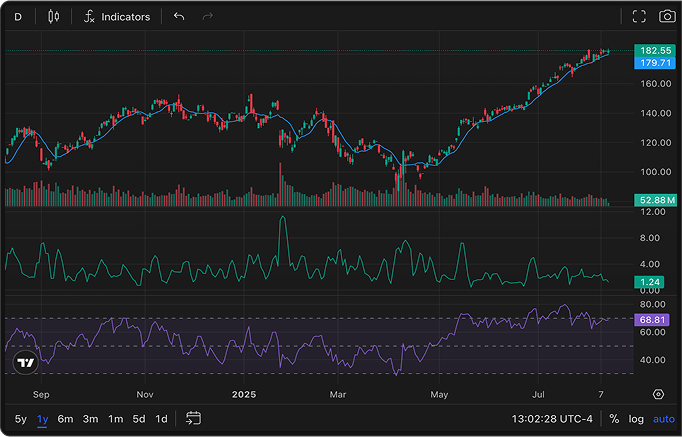
Analyze intraday price action with high-resolution minute-by-minute data.
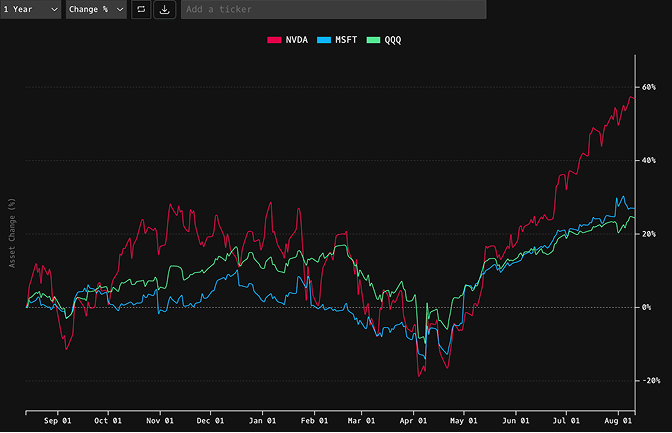
Compare multiple securities over any range to spot trends and relative strength.
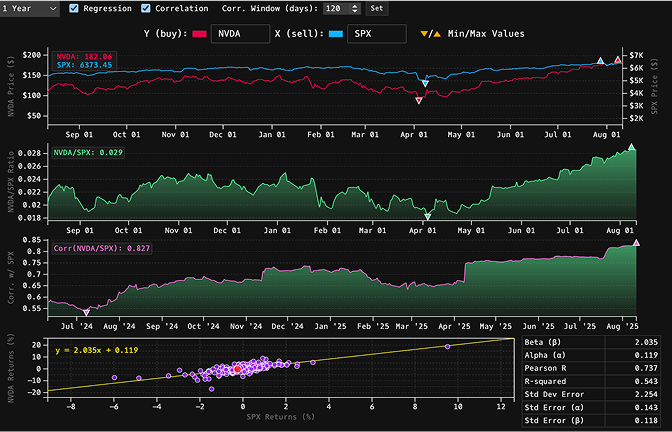
Visualize correlations and relationships between securities to uncover setups.
Real-time quote monitor for
U.S. and global markets
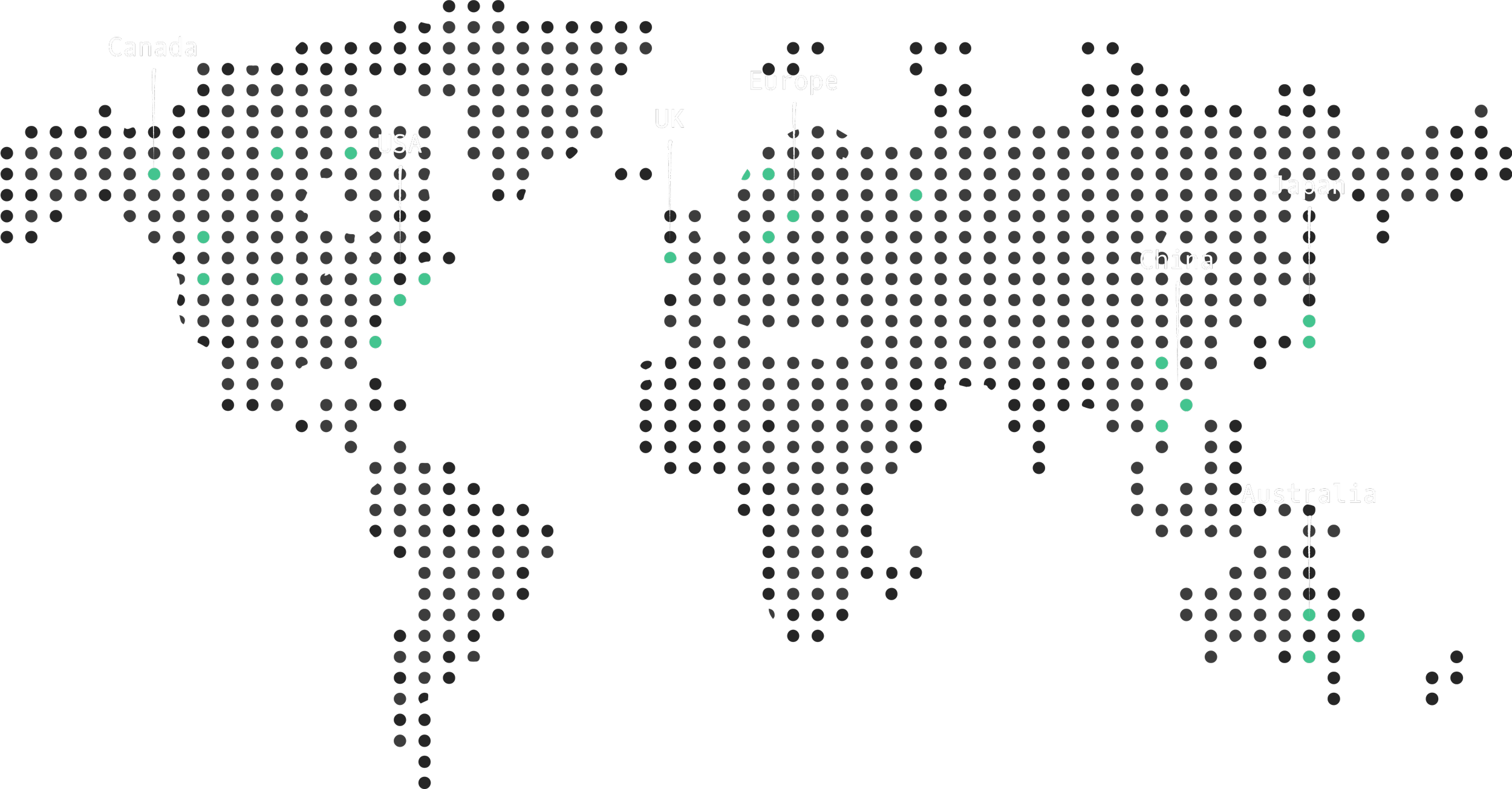
Build watchlists across equities from the U.S., Europe, U.K., Asia, and more.
Commands
Access earnings metrics, company descriptions, live quotes, time and sales, holders list, and more with simple commands.
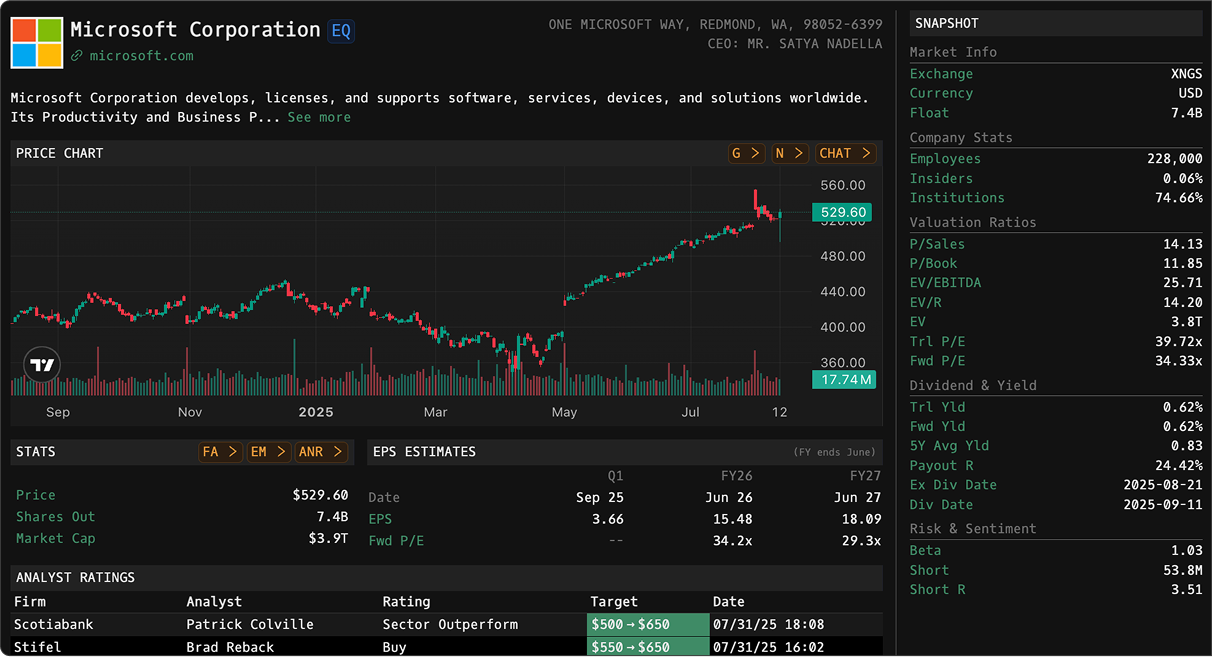
Company Description
DESGives an overview of a security with price chart, financials, address, website, last price, shares outstanding, and market capitalization.
FOCUS
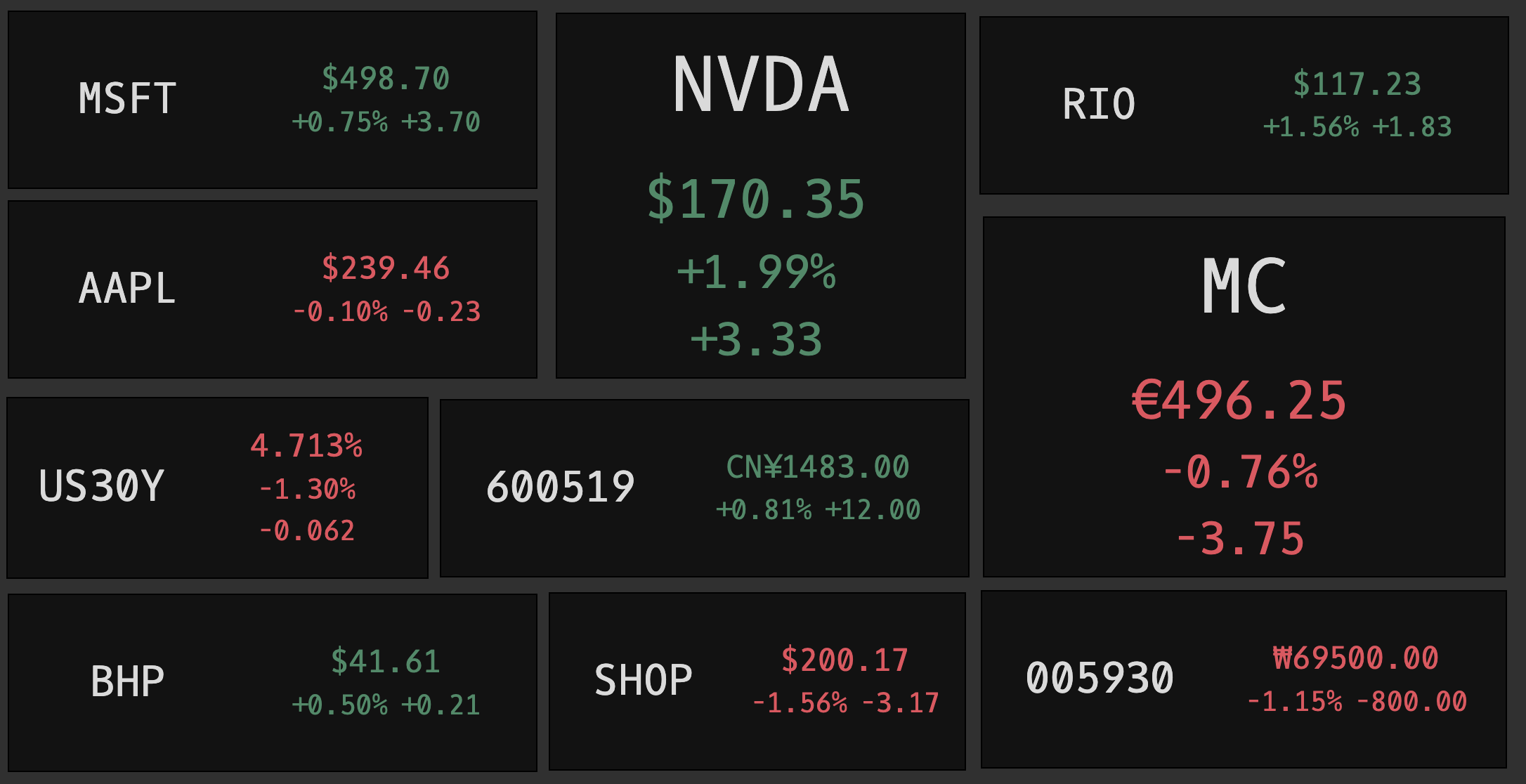
FOCUSDisplays concise live prices for a single security.
Time & Sales
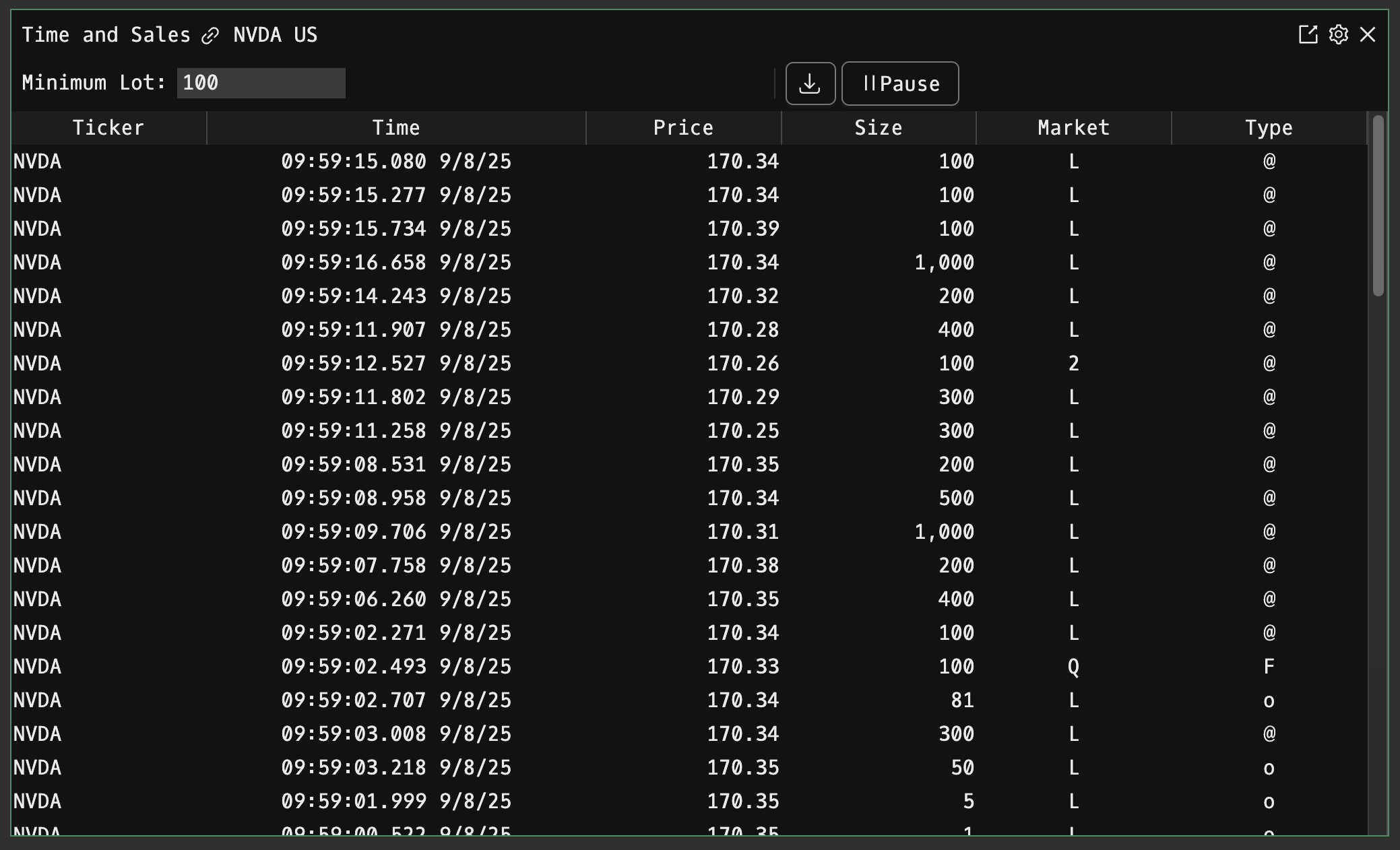
TASTime and sale transaction data for a security or watch list.
Holders
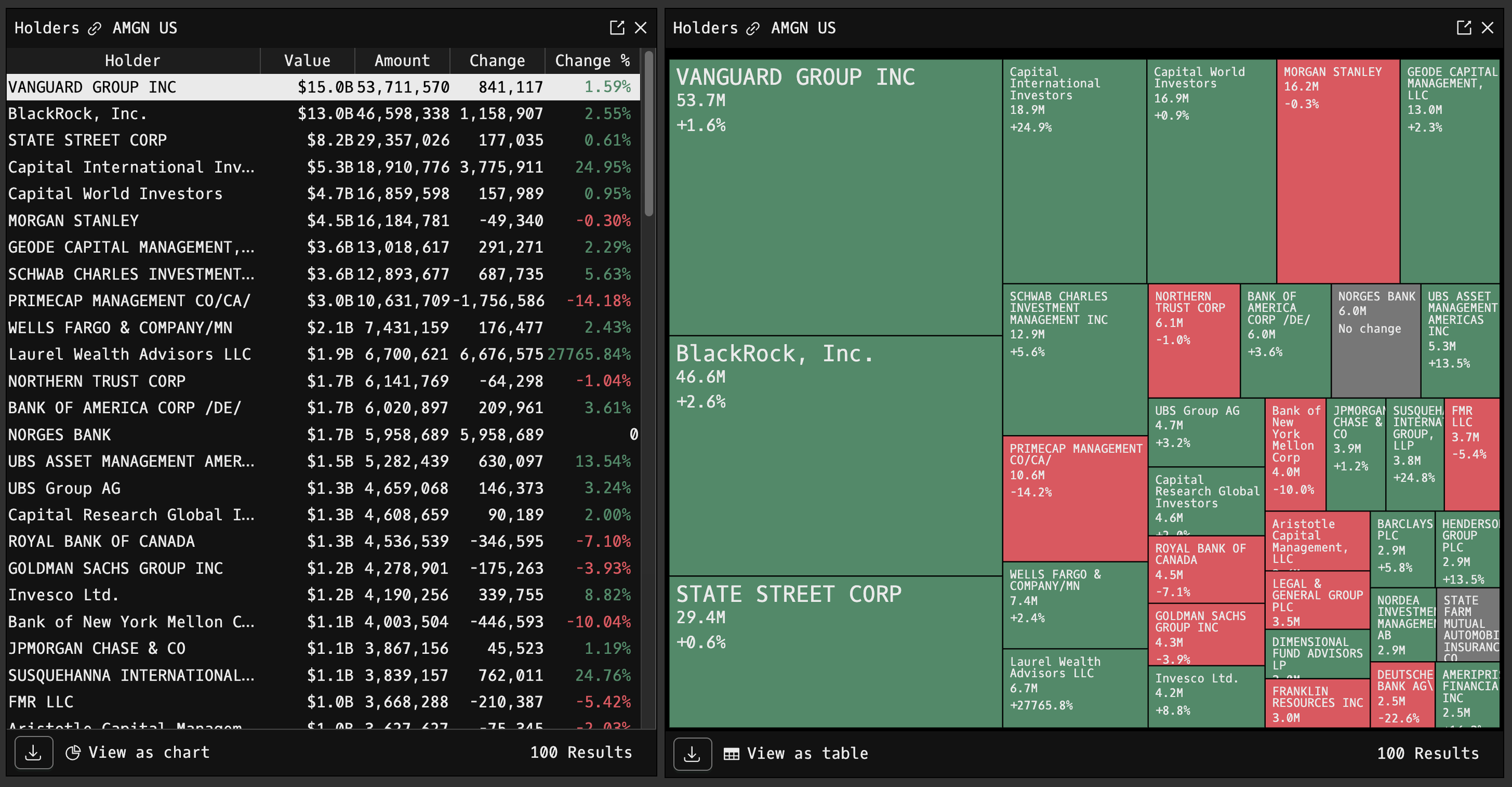
HDSLists all institutional owners of a company by value, amount, change, and change %.
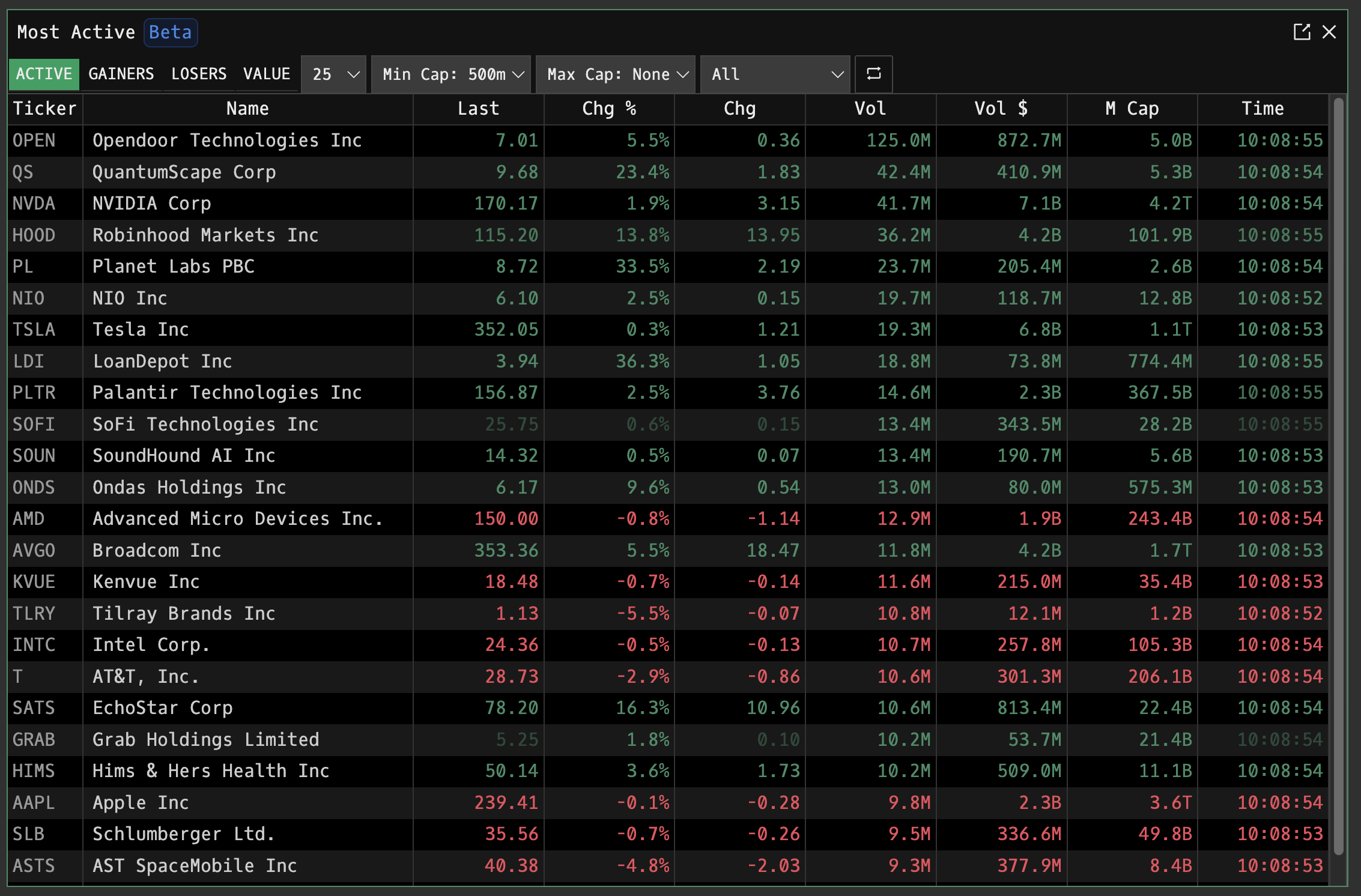
Most Active
MOSTHighlights the day’s most active securities, surfacing high-volume movers and market leaders in real time.
Changelog
- OMON now shows up to 100 strikes.
- Fixed AAPL being excluded from TREND.
- Fixed some reports failing to load on RES.
- FX now shows 4 decimals for prices below 10, and 2 decimals for prices above 10.
- Godel now provides delayed intraday data for China, Germany, Japan, India, France, Italy, South Korea, Mexico, Saudi Arabia, and 20+ other countries.
- Users that signed up with email and password can now change their email in ACM.
- Subscribers can now use TTS for breaking news.
- Fixed ACM throwing a generic error when trying to set your username to one that is taken, it will now explicitly tell you the error.
- Fixed CHAT keeping a search result non-interactive when jumping to its historical context.
- Fixed CHAT not resetting "Replying to" when switching channels.
- Removed PMKT command.
- SECF now shows change and last trade time, and has more compact search results.
- ENT redesigned for a more compact view of your active entitlements.
- N now allows up to 20 include and exclude filters.
- QM now wraps horizontally for larger watchlists.
- QM now wraps watchlist tabs in a dropdown.
- QM now lets you rearrange watchlists.
- QM now has a delay column instead of showing a delay icon next to the ticker. Non-US tickers now show the exchange by default.
- N now has improved default filters, and a "Set to Recommended" option.
- SECF now shows the instrument count for venues.
- TREND now runs on first party analytics and should be more accurate and reliable.
- Locking open and close on layouts are now separate toggles.
- Fixed a bug where HMS YTD was returning all time data.
- Fixed a bug where windows could be resized on top of the terminal window when using terminal zoom.
- Fixed AUM text scaling.
- Fixed securities priced in pence still showing bid/ask in sterling in QM and Q.
- The changelog will now be updated once a week on Mondays.
- Added ALLQ - Show all quotes for a company.
- Try NVDA EQ ALLQ or UBI FP EQ ALLQ to see all instruments for Nvidia and Ubisoft.
- Added PMKT - PMKT lets you trade Manifold prediction markets that Godel hosts.
- HMS now shows live data.
- You can now switch the size of YouTube embeds in CHAT.
- Fixed market cap discrepancies in DES for companies with multiple instruments.
- Fixed a bug where logout would fail if you were being logged out for an expired token.
- CBOE instruments like VIX or SPX now require a subscription.
- Retired ORG, MARTIN, NEJM command.
FAQ
What is Godel?
Welcome to the Godel Terminal, a professional web-based financial terminal software offering comprehensive financial and investment data.
Why should I use Godel?
Godel Terminal provides tools for financial and investment data at a very competitive price compared to other providers. You can access Godel Terminal anytime, anywhere, on any device. Unlike competitors, Godel Terminal’s Command Line Interface (CLI) system allows for instant gathering of realtime data such as charting, charts, news, trades, market quotes, and analysis in under 100 milliseconds.
What are the key features of Godel?
Godel Terminal features real-time charting powered by Nasdaq data, providing unlimited historical and intraday charts. It delivers realtime global news from hundreds of news wires and providers delivered in under 100 milliseconds. Users can access live market quotes, trades, and real-time prices directly from Nasdaq, as well as SEC filings with direct links to EDGAR from company inception, all updated in real-time. Additionally, the platform includes up-to-date company financial statements.
What's the price?
Godel Terminal offers simple and transparent pricing. We offer a free tier and a $118 per month subscription. If you are FINRA-certified, a $30 surcharge is added to your subscription.
How do I use Godel?
You can find our simplified documentation and tutorial here.
What do you use for charts?
The charting technology is provided by TradingView. Use TradingView to keep track of the most important markets like Dow Jones futures and much more.